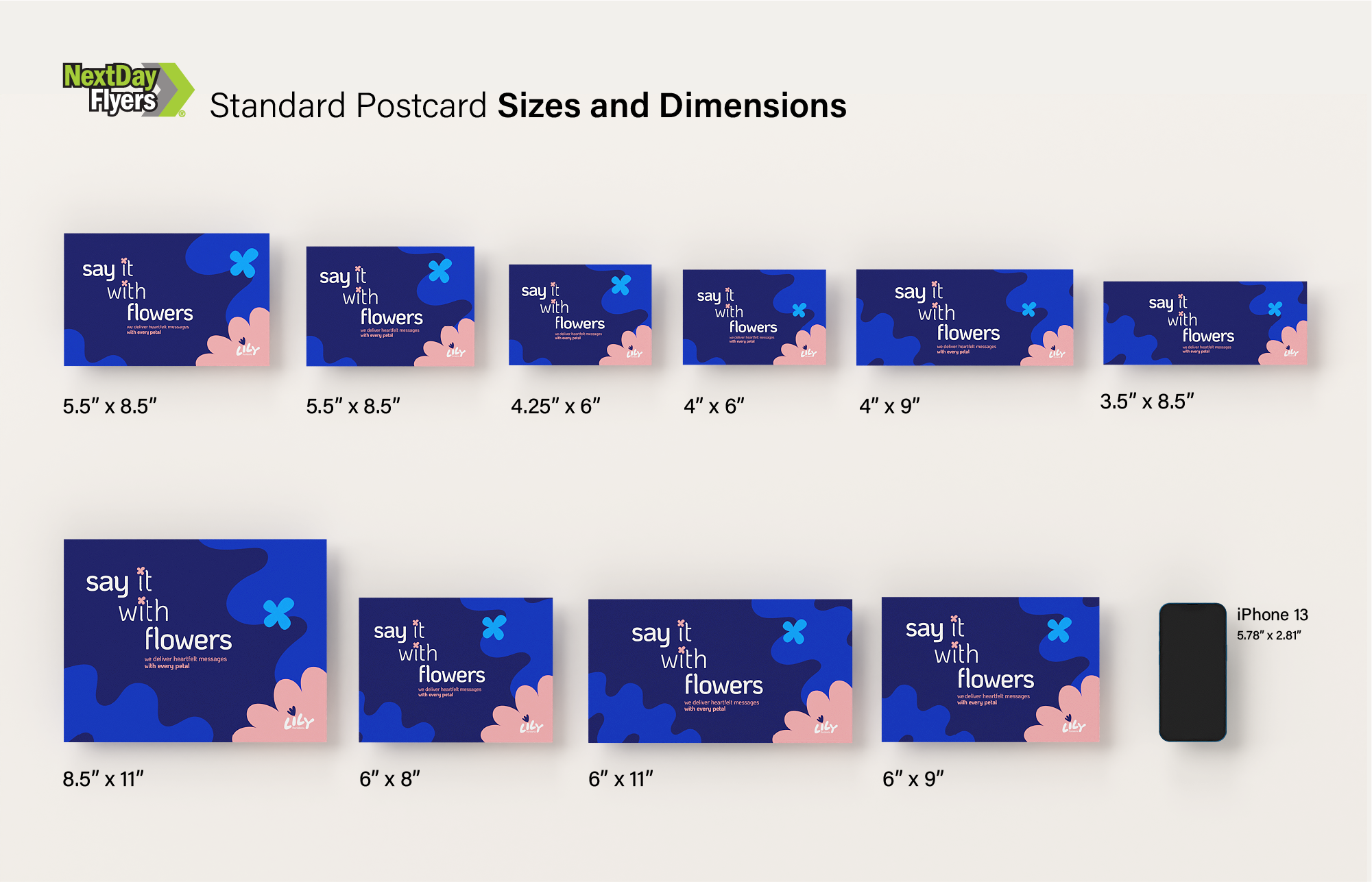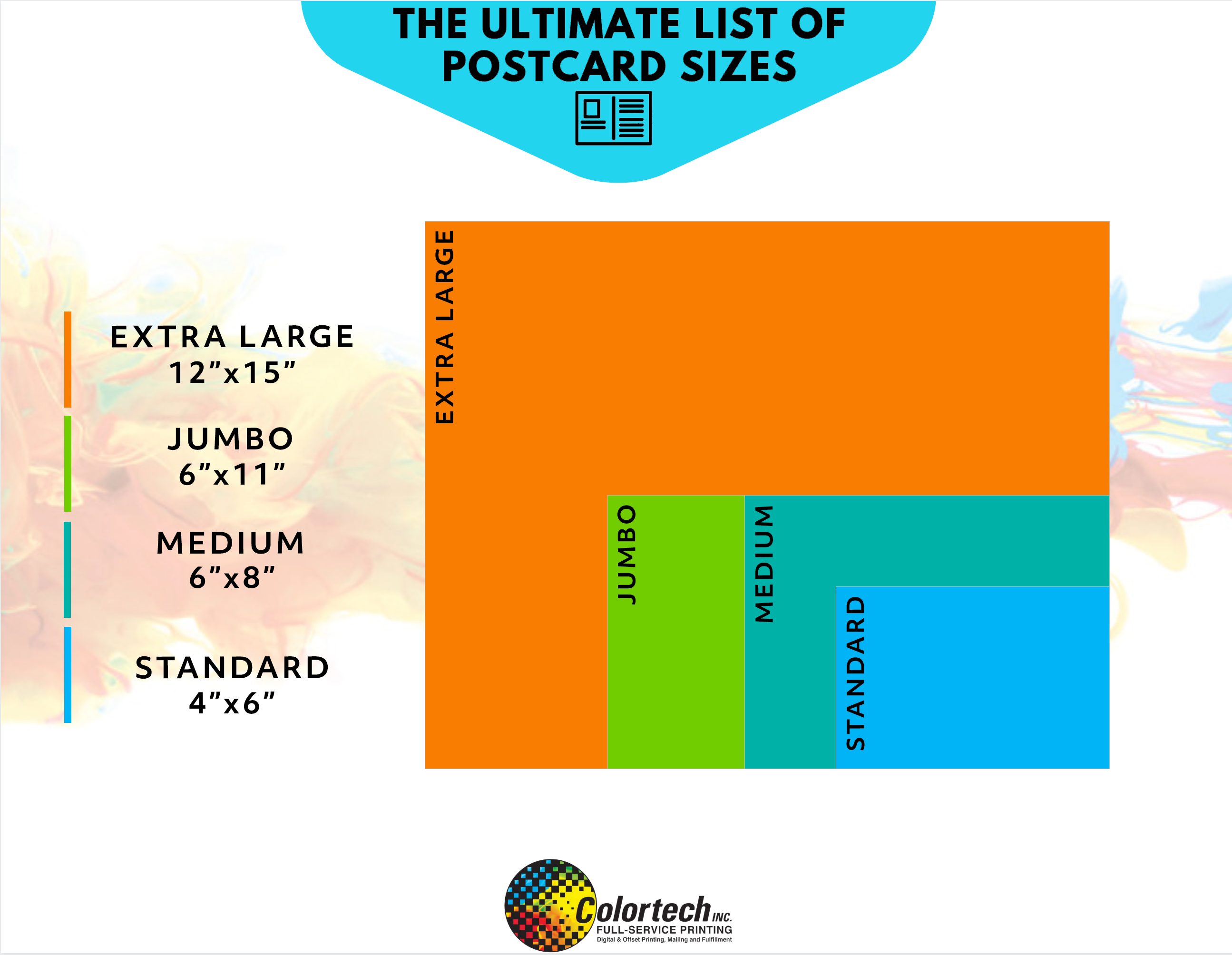
Postcard Size Template is a foundational tool for anyone looking to design, print, or distribute physical postcards that look professional and deliver a clear message. By mastering the dimensions, bleed requirements, and layout best practices, you can ensure your postcards not only fit the printer’s specifications but also capture the eye of your audience.
Understanding the Basics of Postcard Dimensions
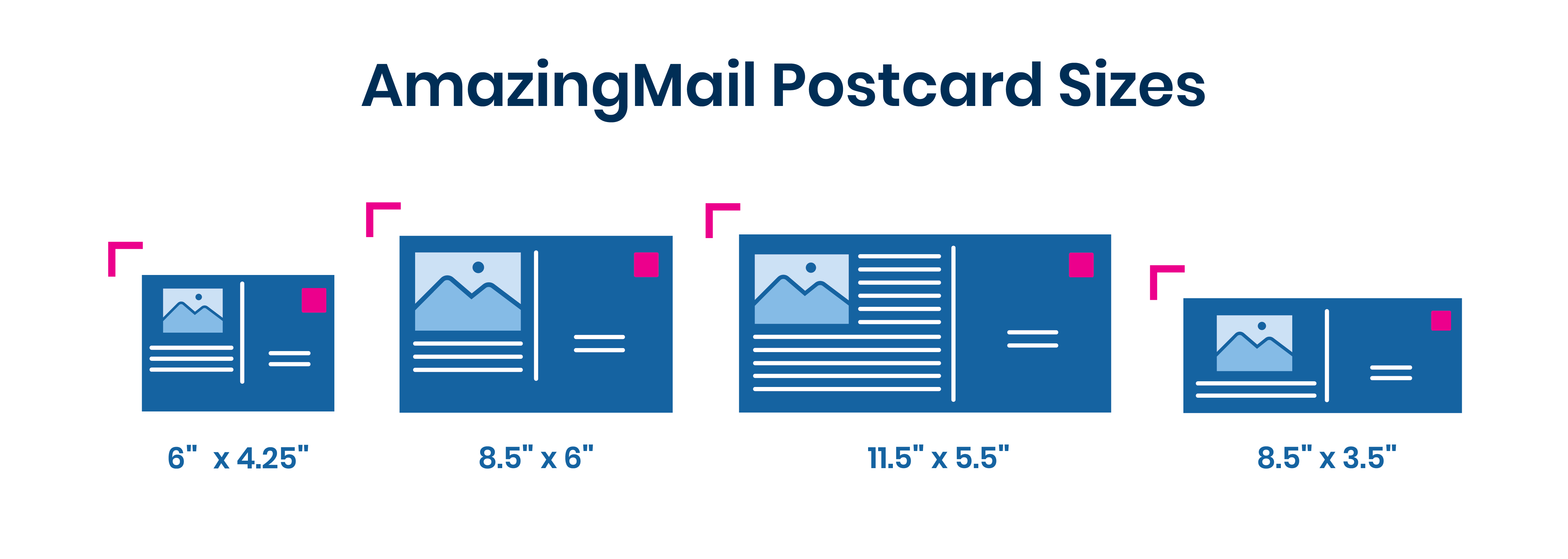
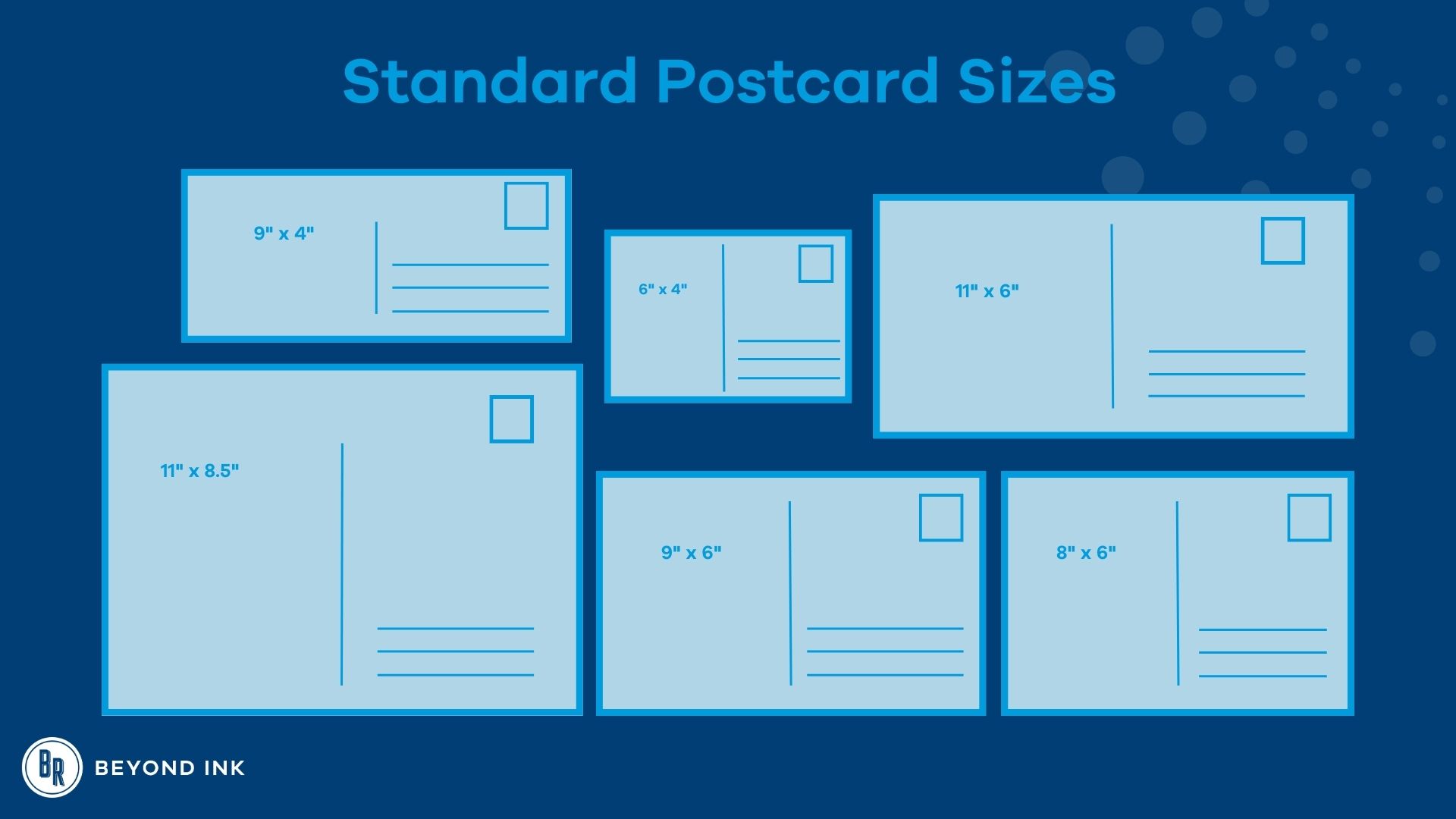
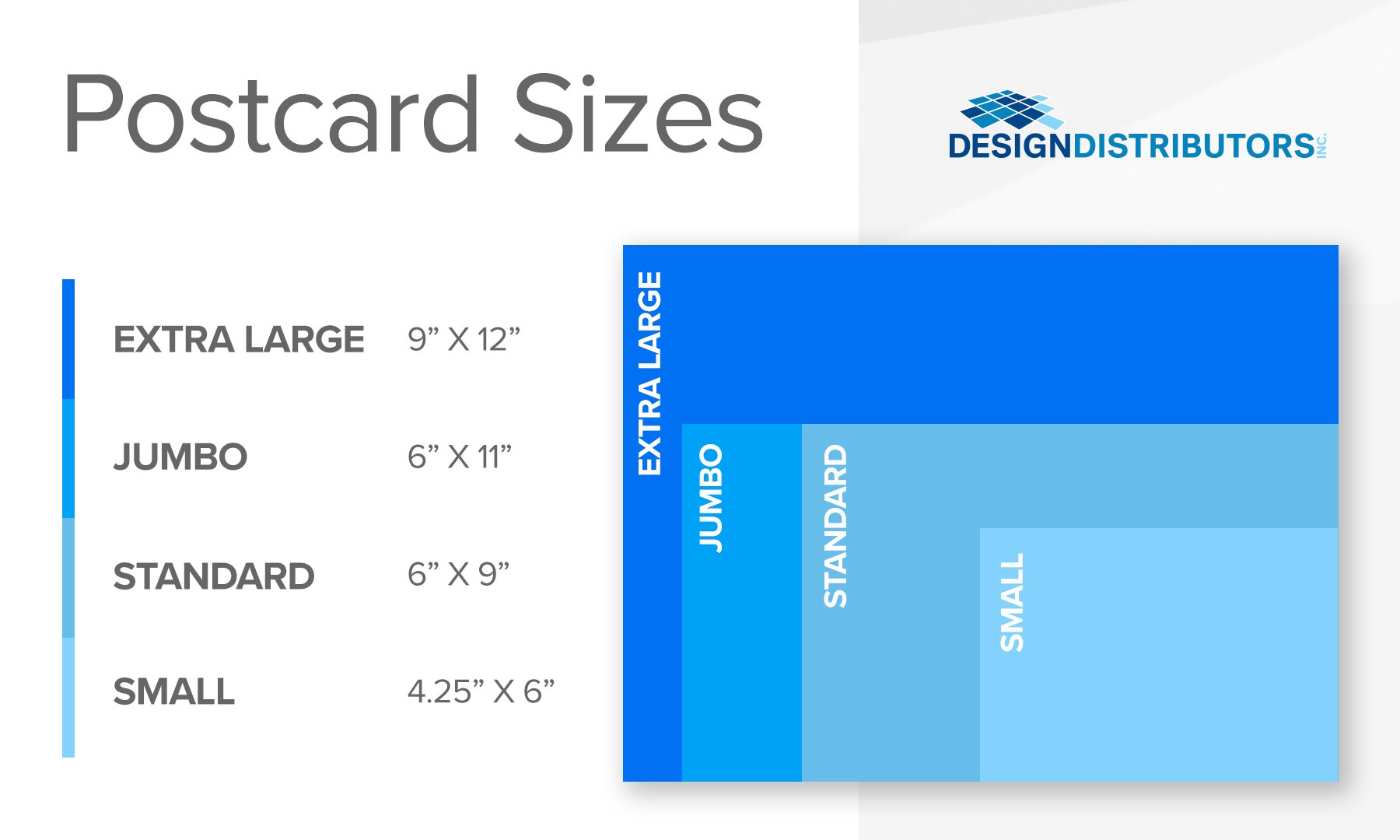
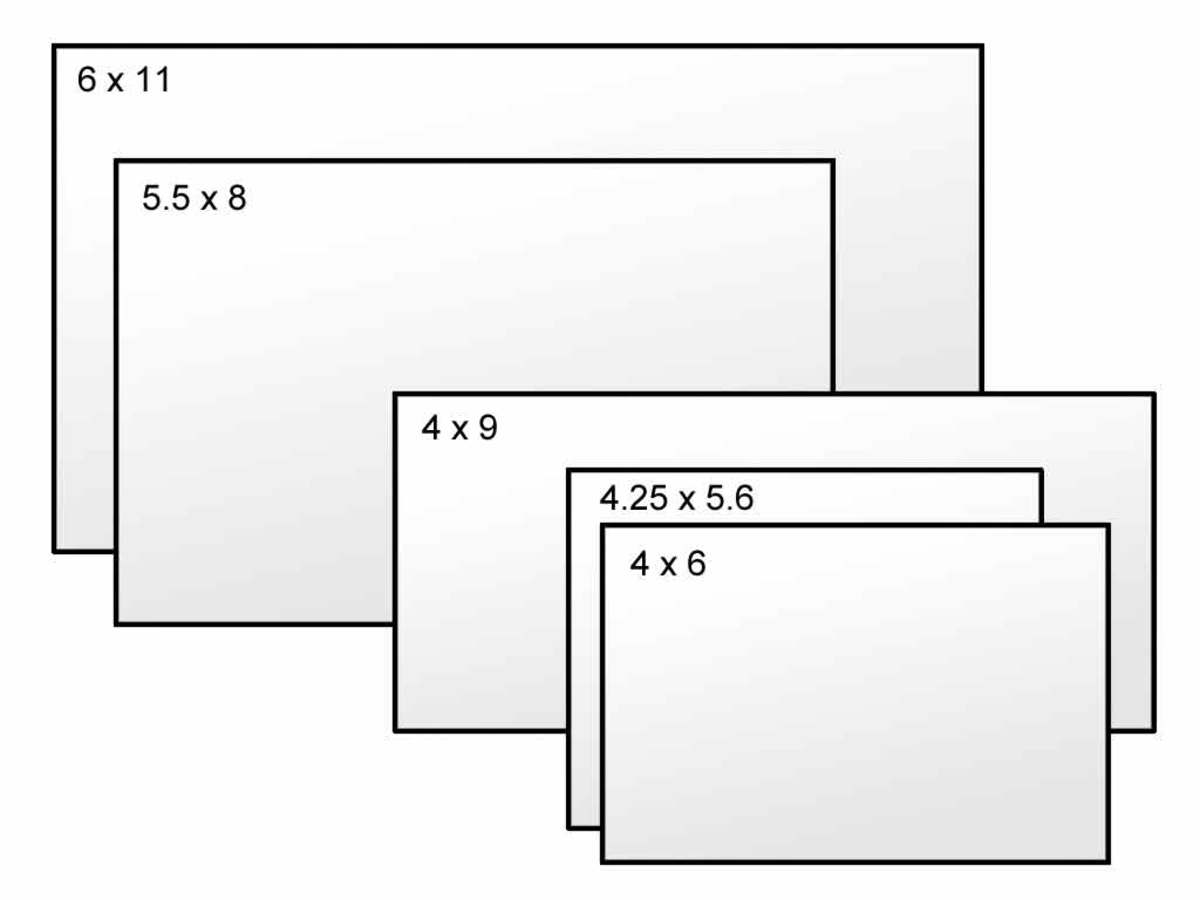
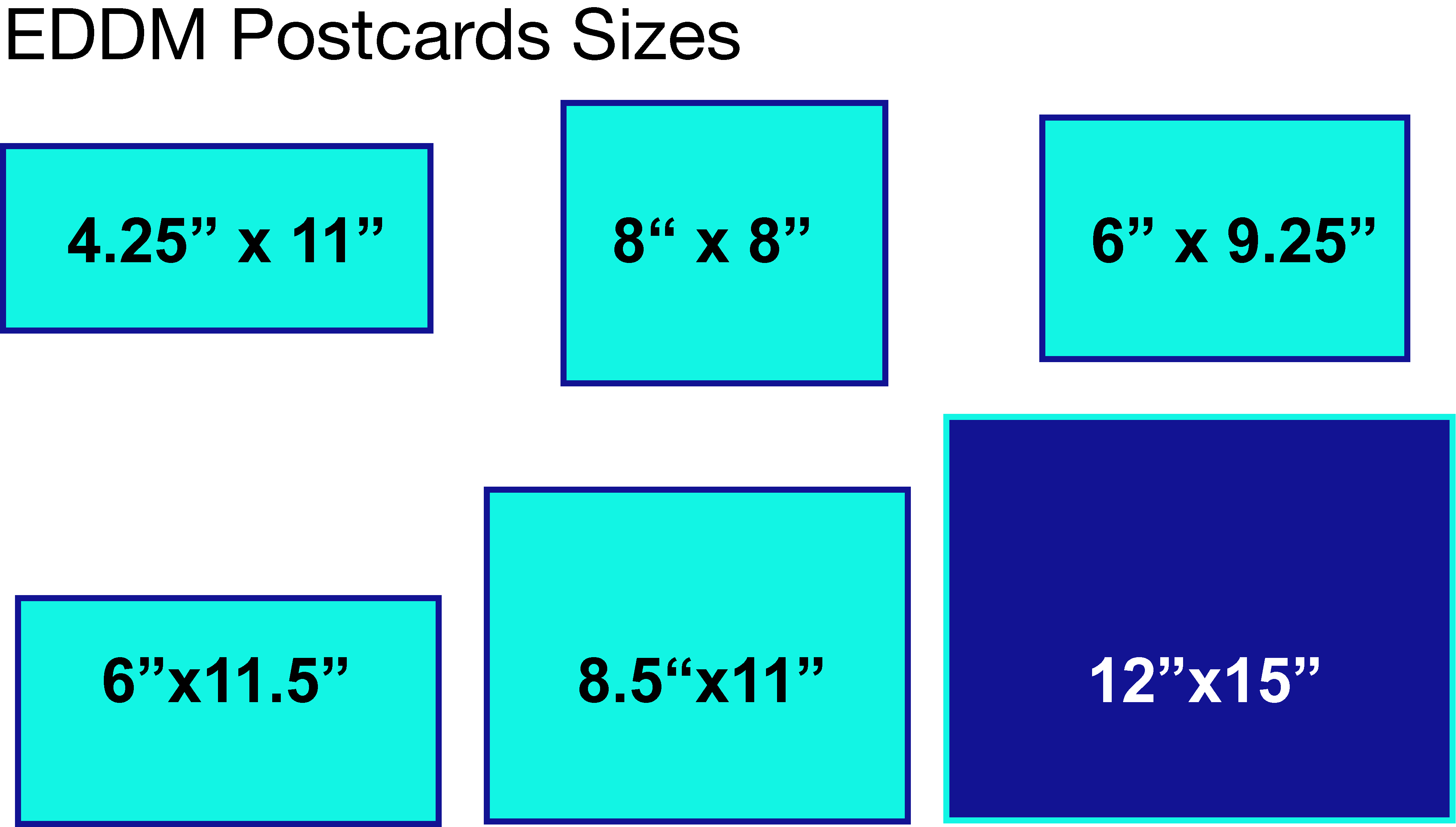
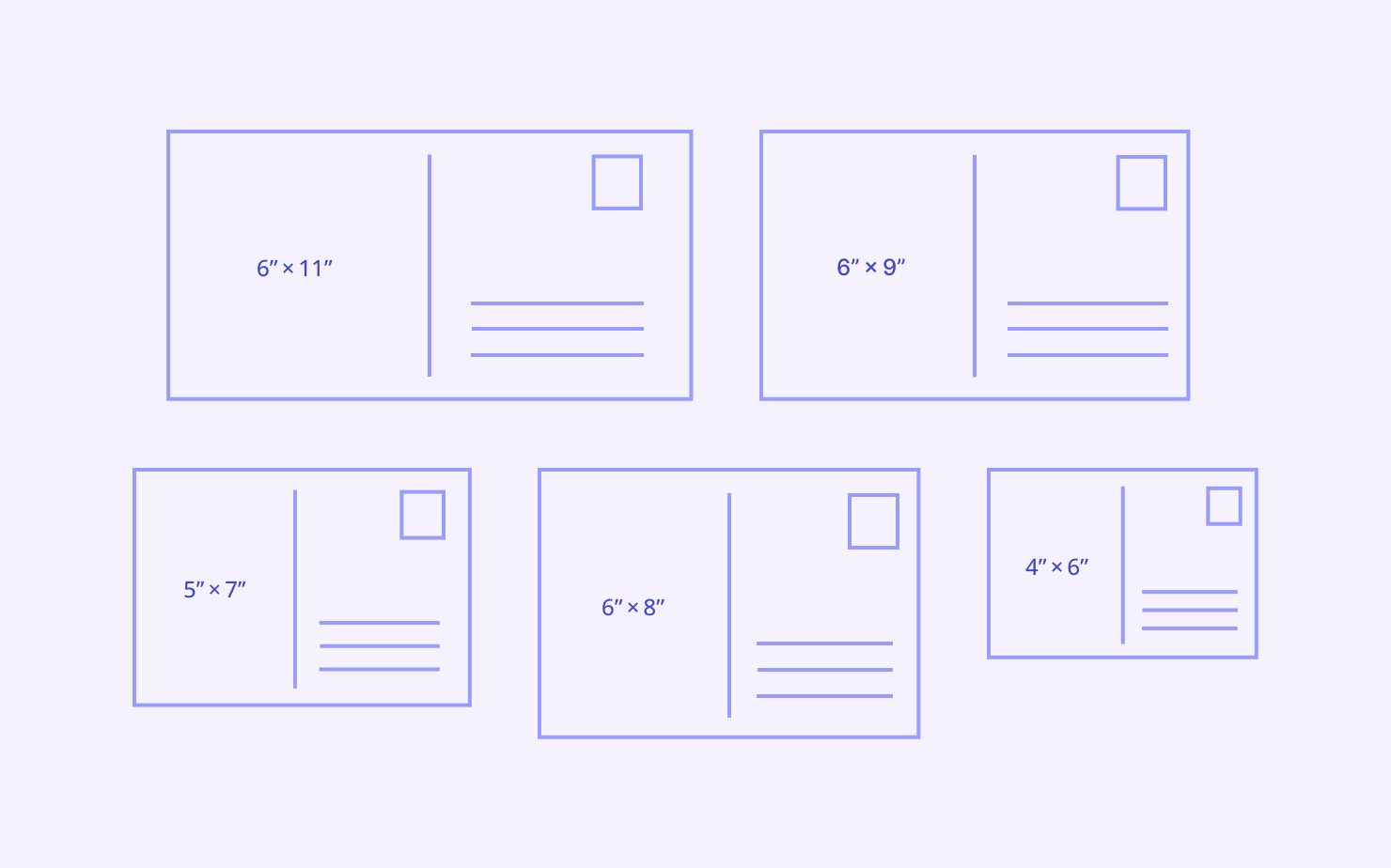
Postcards come in a handful of standard sizes that most printers recognize. Knowing these sizes is the first step toward a smooth production process.
Standard U.S. Sizes
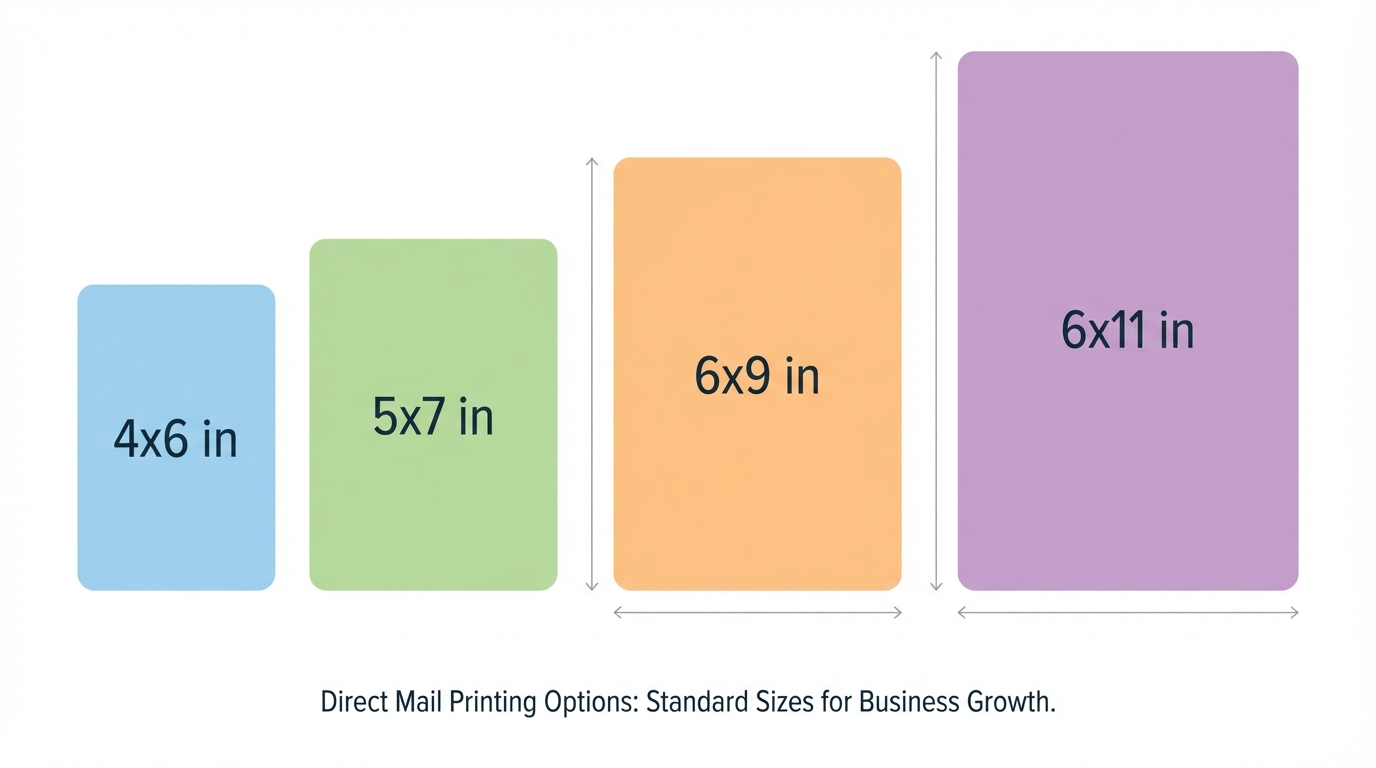
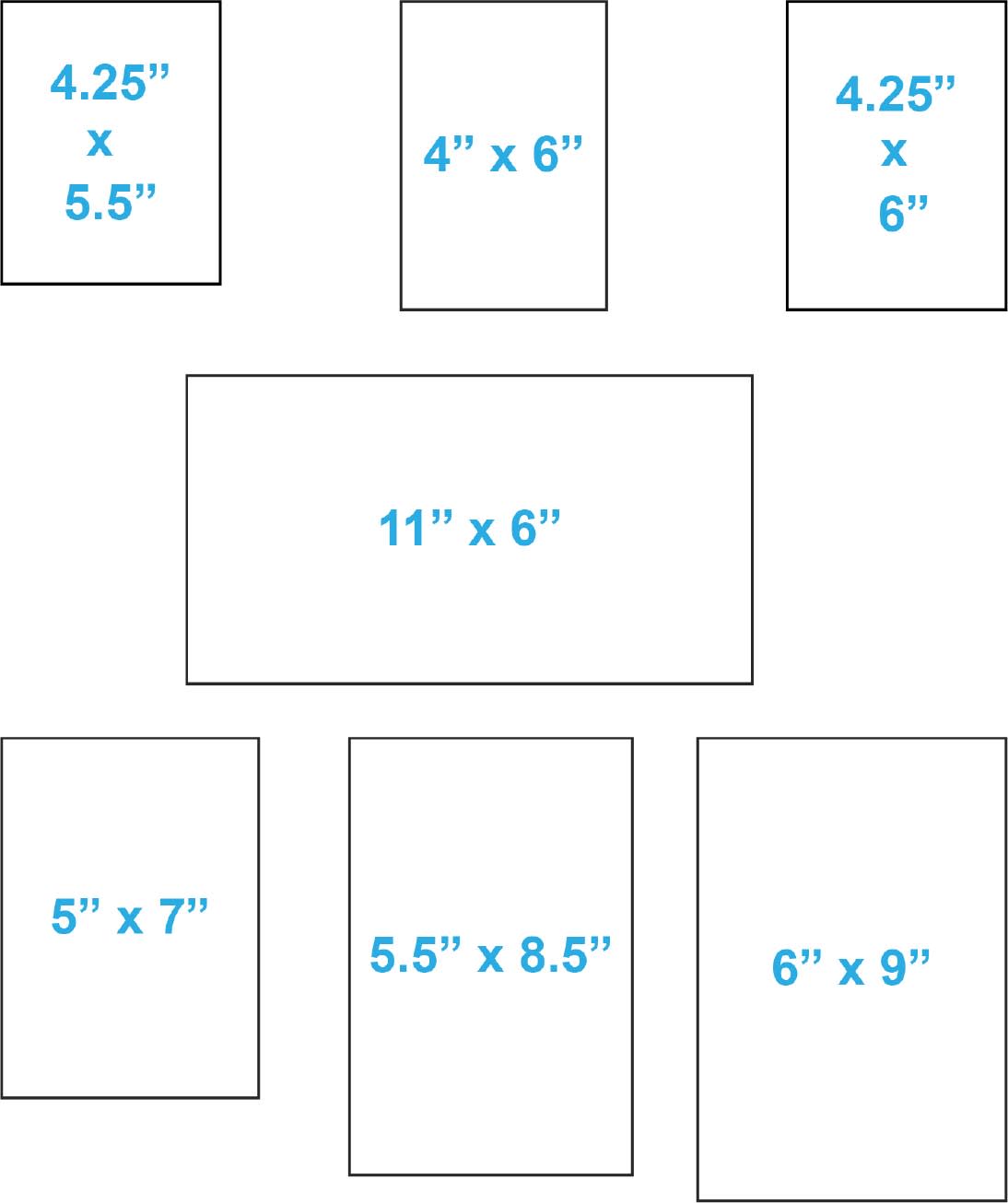
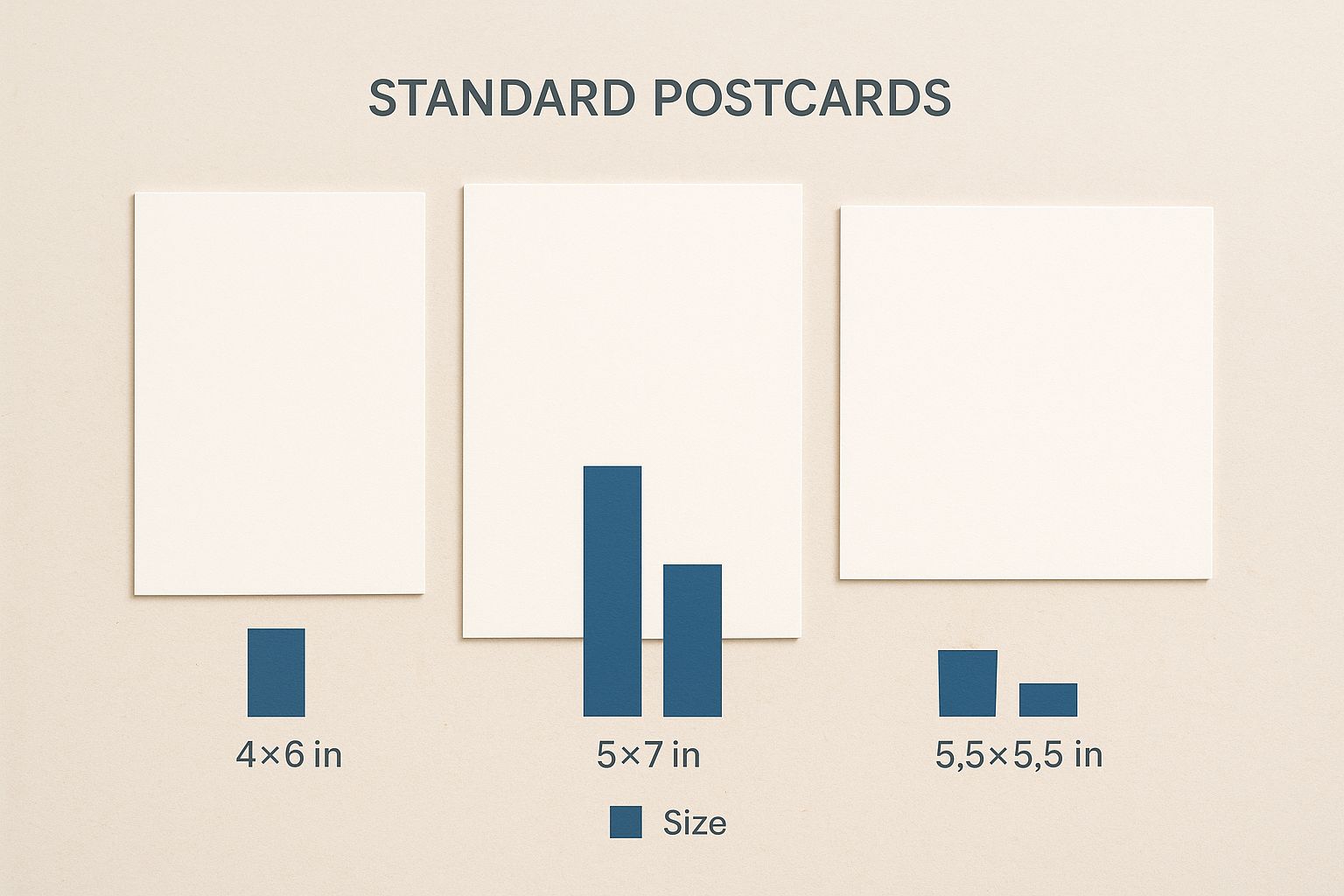
- 4½ × 6½ inches (114 × 165 mm) – The classic “regular” postcard size.
- 5 × 7 inches (127 × 178 mm) – Slightly larger for more detailed graphics.
- 6 × 9 inches (152 × 229 mm) – A premium, more spacious format.
International Variants
- Postcard (A7) – 5.8 × 8.3 inches (147 × 210 mm).
- UK Postcard – 4.25 × 5.5 inches (108 × 140 mm).
- Australia Postcard – 4 × 6 inches (102 × 152 mm).
When creating a Postcard Size Template, start by selecting the target market. For U.S. campaigns, the 4½ × 6½ inch size is most common, but if your audience is global, A7 might be the better choice.
Conversion Between Units
Printing software often requires dimensions in millimeters. Here’s a quick reference:
- 1 inch = 25.4 mm.
- 4½ inches = 114 mm.
- 6½ inches = 165 mm.
Designing for Print: Bleed, Margin, and Safe Zone
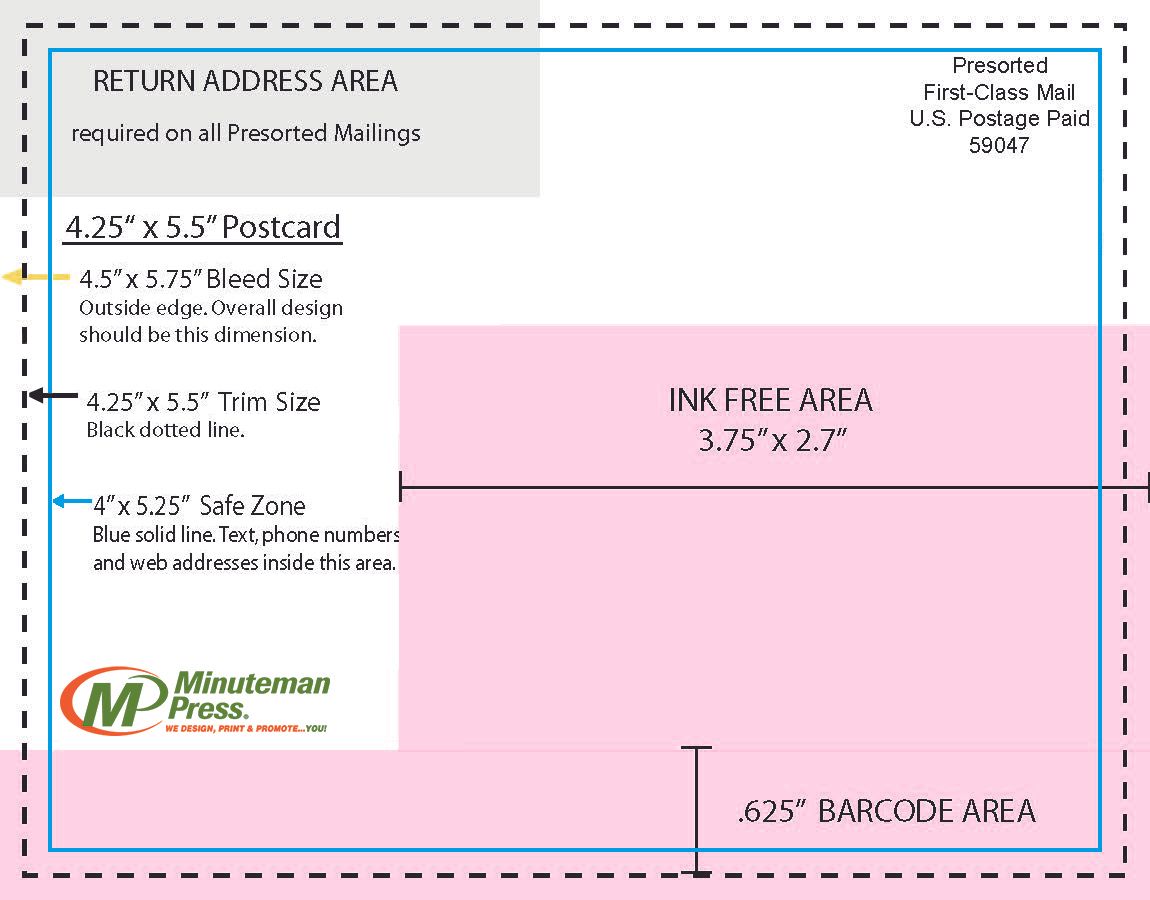
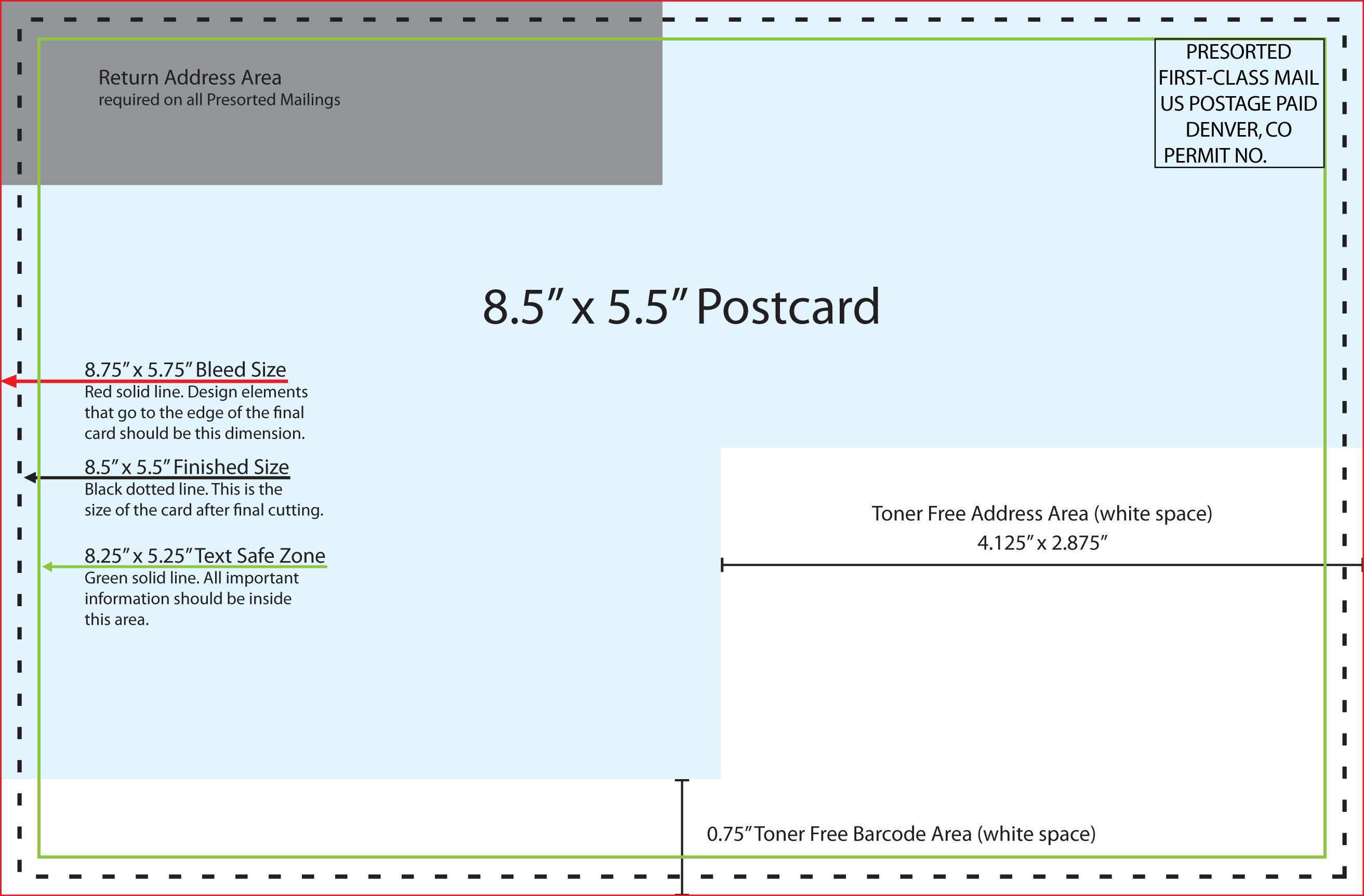
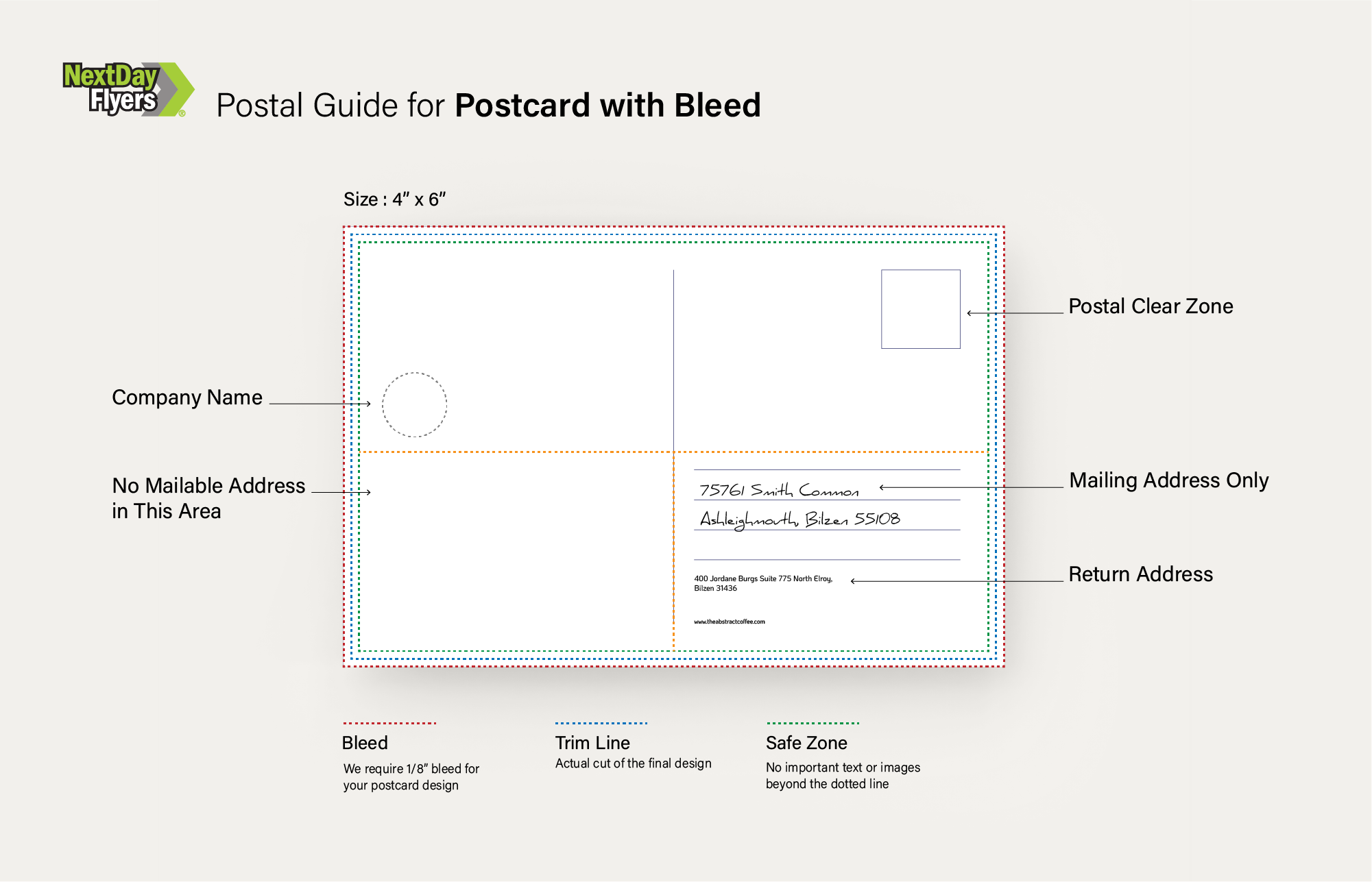
Printing on cardstock leaves a small margin where the paper is trimmed. If you want color or text to extend to the edge, you need to add a bleed area.
Bleed Requirements
- Standard bleed: 0.125 inches (3 mm) on all sides.
- For larger formats (e.g., 6×9 inches), you might use 0.25 inches (6 mm) to accommodate more aggressive trimming.
Safe Zone
All essential content—logos, headlines, contact information—should reside within a safe zone to prevent it from being cut off.
- Place the safe zone 0.25 inches (6 mm) from the outer edge of the final trimmed size.
- For the 4½ × 6½ inch postcard, the safe zone is a rectangle of 4 × 6 inches (102 × 152 mm).
Using Software Tools
- Adobe InDesign: Create a new document, set the size to 4½ × 6½ inches, add a 0.125-inch bleed, and set guides for the safe zone.
- Canva: Use the custom dimensions feature and adjust the bleed and margin settings in the design panel.
- Affinity Designer: Set up a canvas with the required size and add a “crop marks” overlay for visual reference.
Choosing the Right Paper and Finish
The physical feel of a postcard can influence how recipients perceive the brand. Select a paper type and finish that matches your message.
Paper Weight
- 80 lb (115 gsm) – Standard cardstock; lightweight and cost-effective.
- 100 lb (145 gsm) – Medium weight with a bit more heft for premium feel.
- 120 lb (175 gsm) – Heavyweight, often used for luxury or high‑impact mailers.
Coated vs. Uncoated
- Coated: Offers a glossy or matte surface that enhances color vibrancy, ideal for vivid images.
- Uncoated: Provides a natural, tactile experience, suitable for handwritten or calligraphy styles.
Finish Options
- Matte: Reduces glare, giving a sophisticated look.
- Glossy: Adds shine and makes colors pop.
- Soft‑touch: Offers a velvet feel; great for luxury campaigns.
Color Mode and File Preparation
To avoid color shifting during print, adhere to the following guidelines.
Color Mode
- CMYK for full‑color prints; this mode is optimized for printers.
- Ensure all images are converted to CMYK before placement.
Resolution
- Images: Minimum 300 dpi at final size.
- Text: Vector fonts or high‑resolution outlines.
File Formats
- PDF (preferred): Preserve layers, fonts, and vector elements.
- EPS or AI: Suitable for vector‑heavy designs.
- JPEG at 300 dpi: Acceptable for simple graphics but risk loss of quality.
Design Elements for Impactful Postcards
A well‑crafted postcard marries visual appeal with concise messaging. Below are actionable tips to elevate your design.
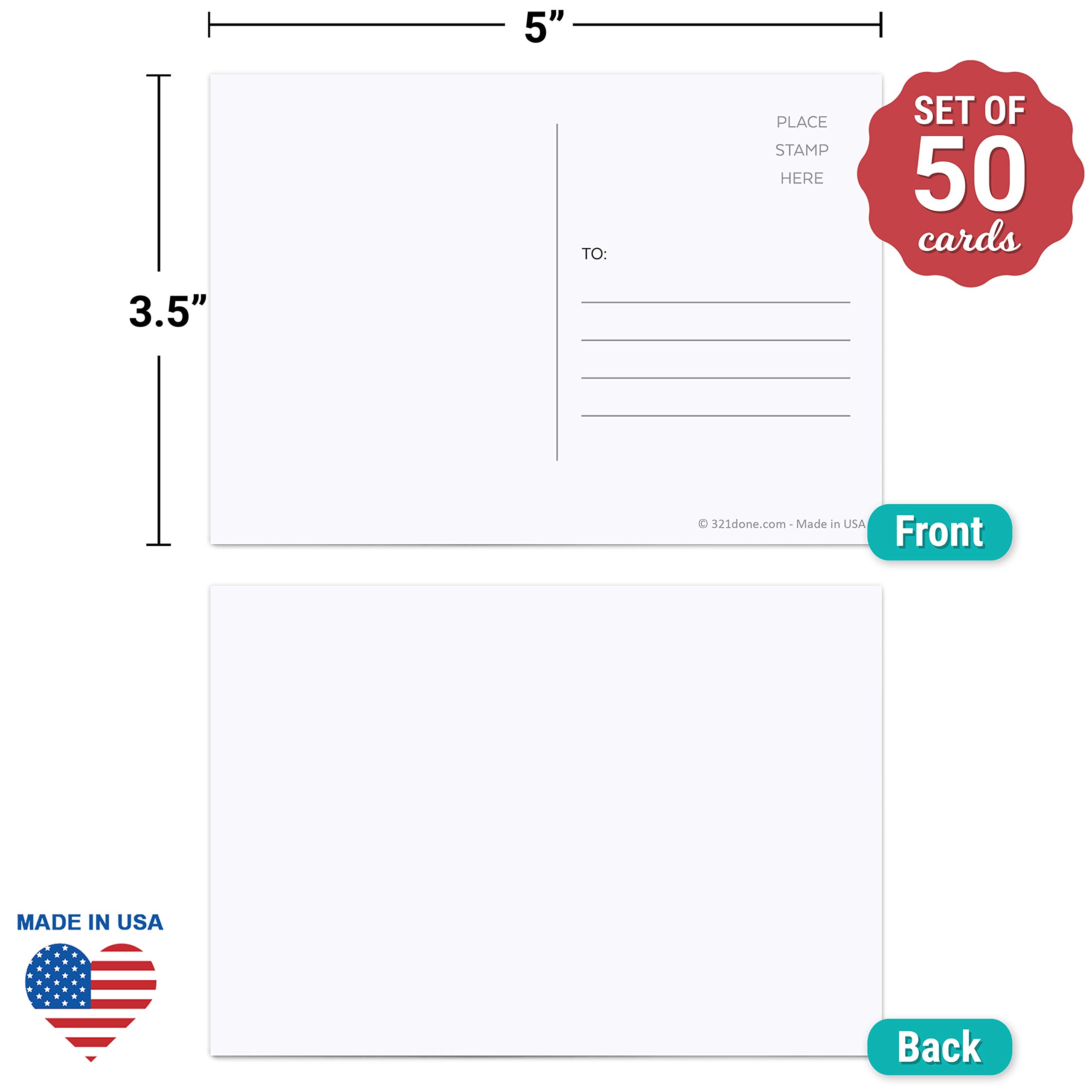
Front vs. Back Layout
- Front: Visual hook—high‑resolution image or striking headline.
- Back: Detailed information—call to action, contact details, QR codes, or small graphics.
Typography Choices
- Primary Font: Bold sans‑serif for headlines (e.g., Helvetica, Futura).
- Secondary Font: Readable serif or sans‑serif for body text (e.g., Garamond, Open Sans).
- Font Size: Headline 24–28 pt; body 10–12 pt on a 4½ × 6½ inch format.
Color Palette
- Limit to three complementary colors to keep the design uncluttered.
- Use contrast to highlight calls to action.
- Include brand colors for consistency.
Imagery
- High‑contrast photos that fit the postcard’s dimensions.
- Avoid pixelated images; keep resolution above 300 dpi.
- Consider using a single focal point to guide the viewer’s eye.
Whitespace and Balance
Whitespace prevents visual fatigue. Position elements with equal spacing and align text to create a balanced look.
Print Proofing and Quality Control
.png)
Before committing to a full batch, perform a series of checks to reduce errors.
Digital Proof
- Ask your printer to provide a PDF proof.
- Verify color fidelity and alignment.
- Check bleed and trim marks.
Physical Proof
- Receive a single print specimen.
- Assess paper weight, finish, and print sharpness.
- Check for misalignment of text or images.
Final Adjustments
- Make necessary color corrections or text tweaks.
- Re‑export the final PDF with “Flattened” layers to avoid font issues.
- Confirm the bleed is accurately placed.
Distribution Strategies for Postcards
Once your postcard is ready, the next step is getting it into the hands of your target audience.
Direct Mail
- Use a mailing list with verified addresses.
- Consider “postcard mailers” from services like USPS for cost efficiency.
- Track responses via unique URLs or coupon codes.
Events and Trade Shows
- Hand out postcards as part of a swag package.
- Include QR codes that link to event schedules or product demos.
- Use a consistent color scheme to reinforce branding.
Retail Placement
- Place postcards in high‑traffic areas of partner stores.
- Design eye‑catching back side to entice customers.
- Offer limited‑edition designs to increase urgency.
Digital Adaptations of Postcard Templates
Even in an increasingly digital world, postcard designs can thrive online.
Email Postcards
- Export a high‑resolution image or PDF for attachment.
- Keep file size under 5 MB to ensure deliverability.
- Use responsive design to accommodate mobile screens.
Social Media Stories
- Adapt the postcard dimensions to fit vertical story formats (1080 × 1920 px).
- Highlight the same call to action, but in a shorter text form.
- Incorporate interactive stickers like polls or swipe‑ups.
Common Mistakes to Avoid

Even seasoned designers can trip over small pitfalls that undermine the final product.
Neglecting Bleed
Failure to add bleed can result in unwanted white borders after trimming.
Overcrowding the Design
Too many elements clutter the space and dilute the message.
Ignoring Paper Characteristics
Choosing a glossy finish for a text‑heavy design may cause glare and reduce readability.
Using Low‑Resolution Images
Pixelated photos reflect poorly on brand quality and can misrepresent the product.
Conclusion
Creating a Postcard Size Template that delivers professional results is a blend of technical precision and creative insight. By mastering standard dimensions, incorporating proper bleed and safe zone practices, selecting the right paper and finish, and following meticulous proofing protocols, you can produce postcards that stand out in both physical and digital spaces. Whether you’re sending direct mail, promoting an event, or leveraging social media, a well‑crafted postcard can leave a lasting impression and drive meaningful engagement.