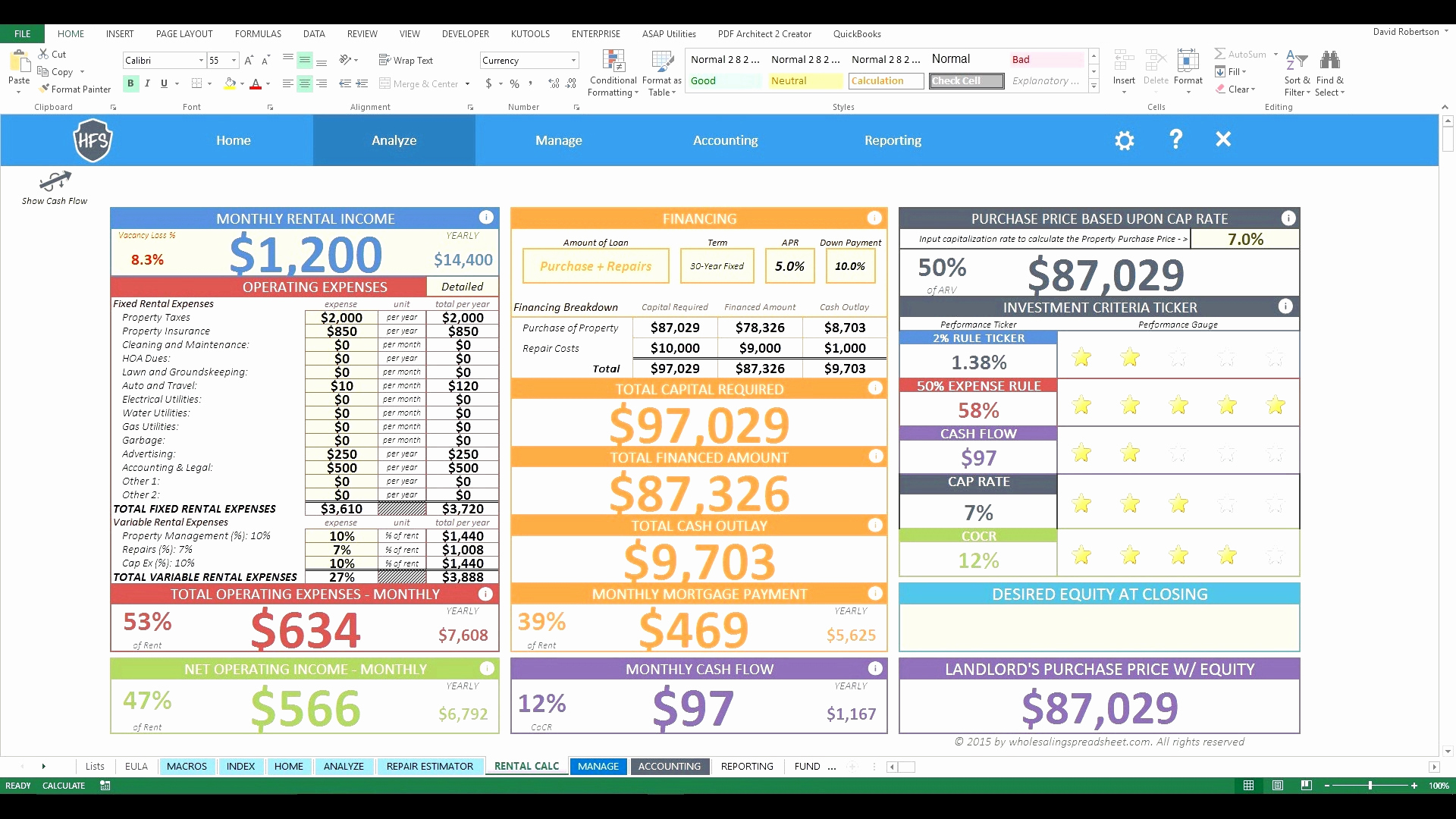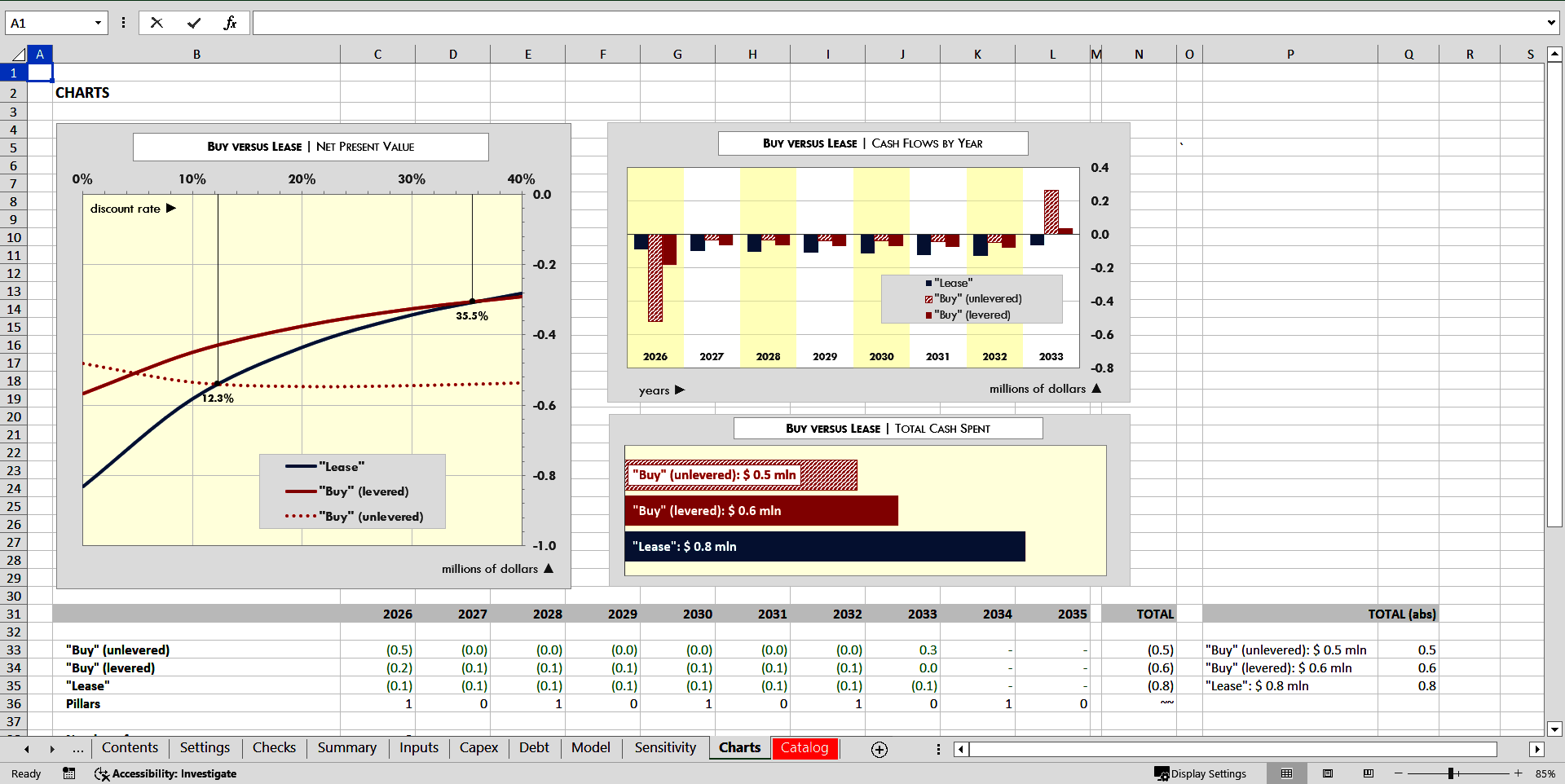
Lease Vs Buy Equipment Analysis Excel Template is a critical tool for businesses weighing the financial impact of acquiring or renting machinery, technology, or infrastructure. By consolidating complex financial data into a single, interactive spreadsheet, decision makers can compare cash flows, tax benefits, and long‑term costs with clarity and precision.
Why the Lease vs Buy Decision Matters
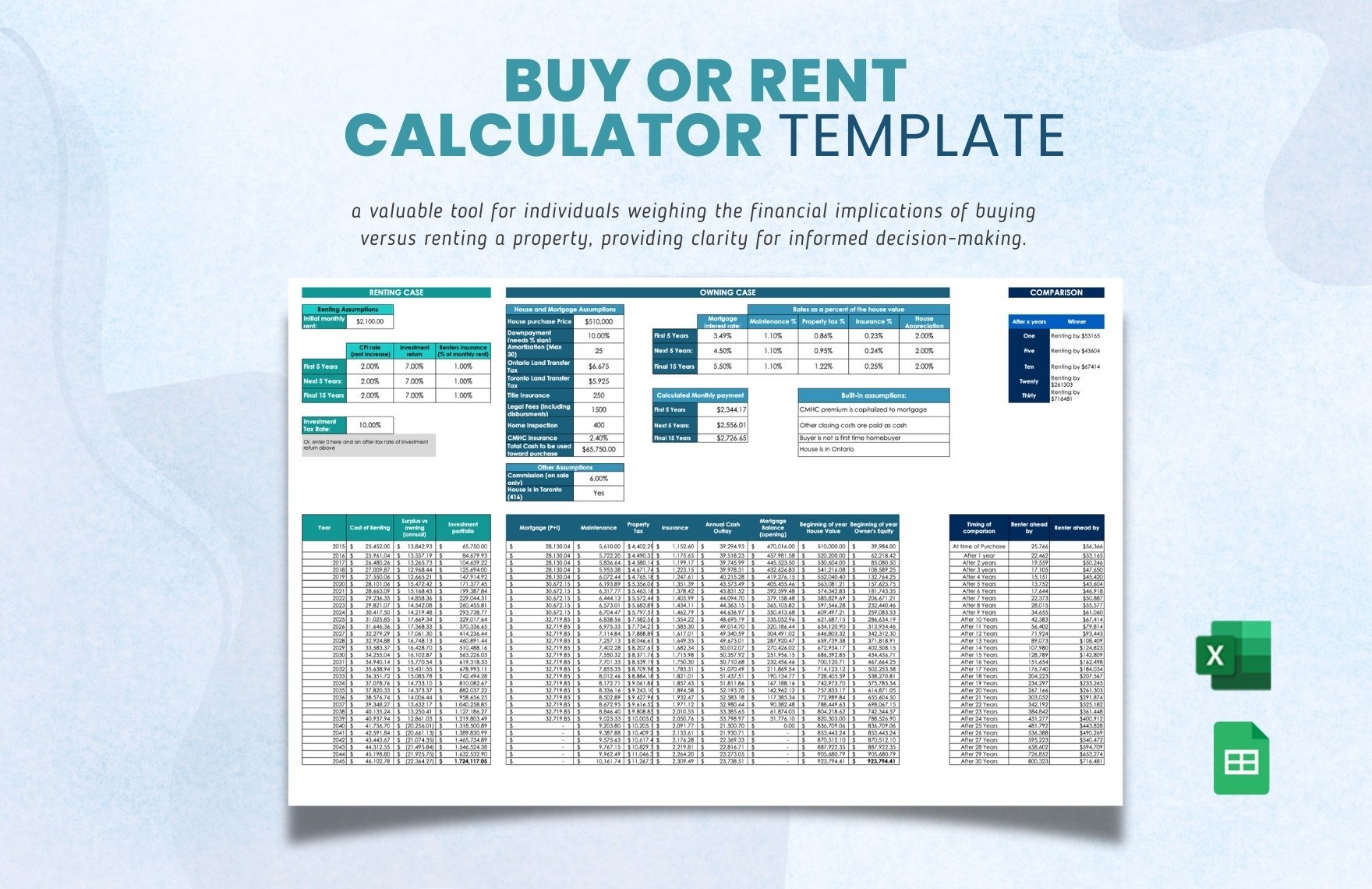
Choosing between leasing and purchasing is more than a simple cost comparison; it influences capital allocation, balance sheet health, and operational flexibility. A well‑structured template can reveal hidden advantages and pitfalls that might otherwise be overlooked.
Cash Flow Implications
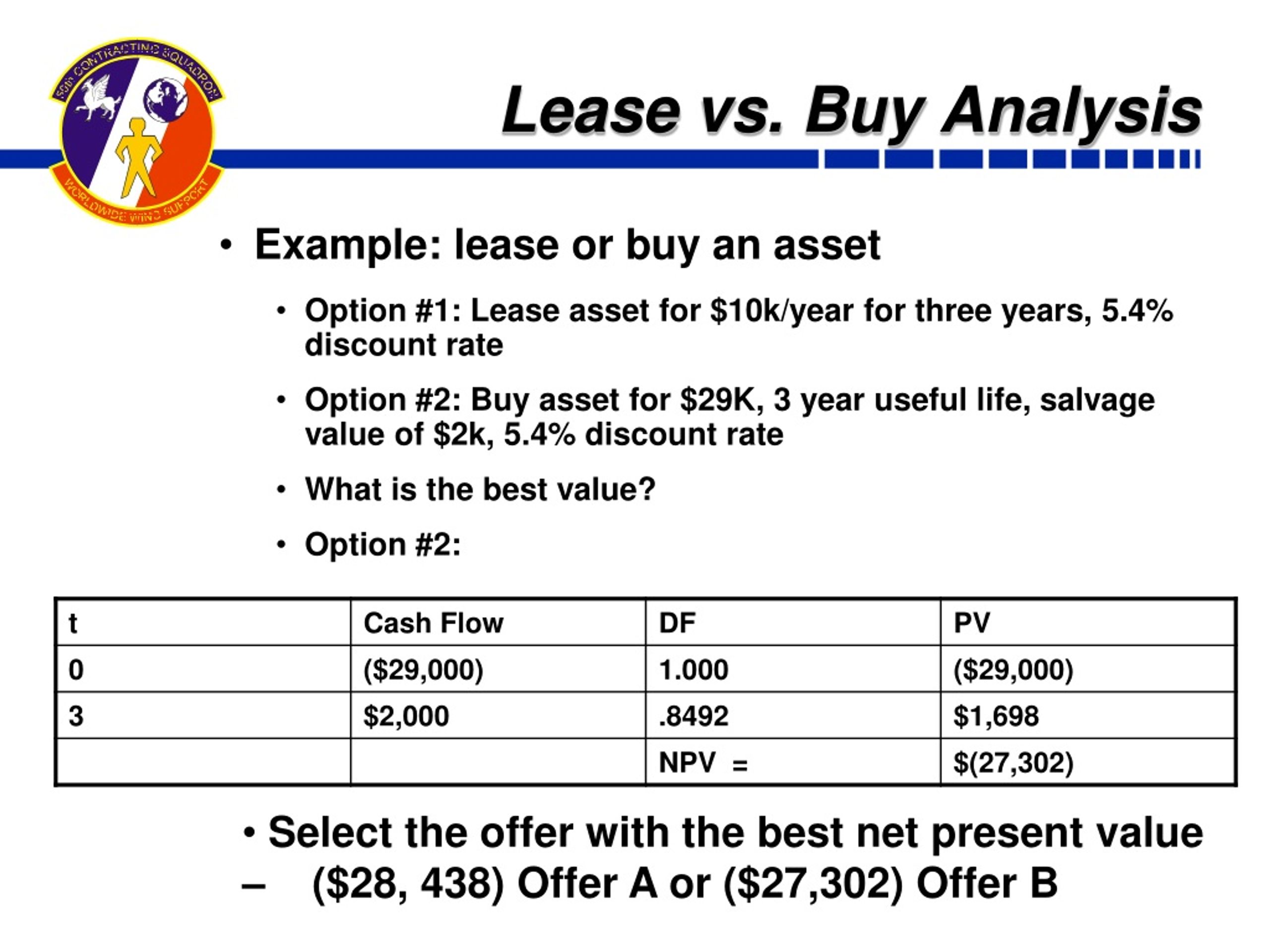
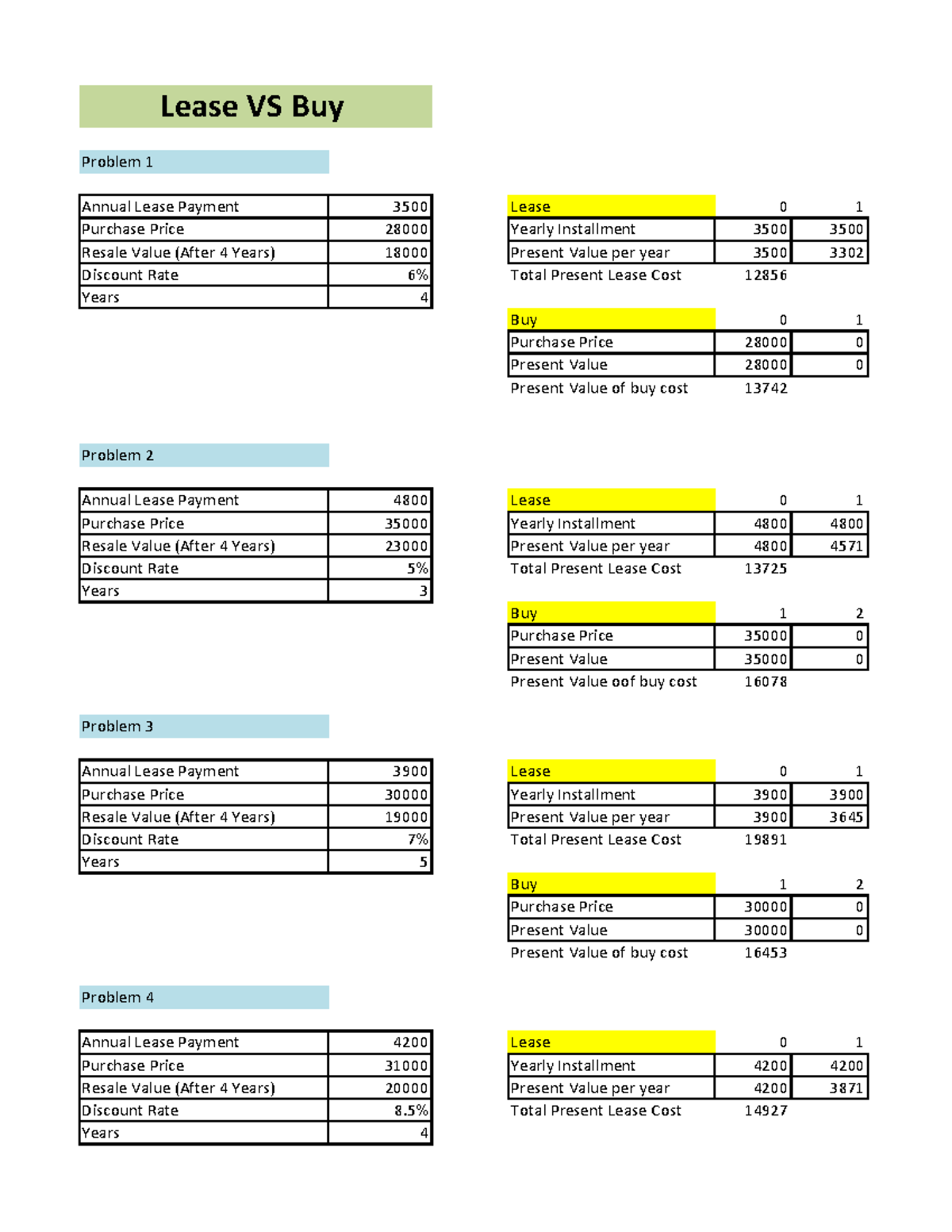
Leasing typically requires lower upfront capital, preserving working capital for other initiatives. Purchasing, while incurring a larger initial outlay, often leads to a steady, predictable expense pattern. A template should calculate net present value (NPV) for both options, allowing users to see how cash flow timing affects the overall cost.
Tax and Depreciation Considerations
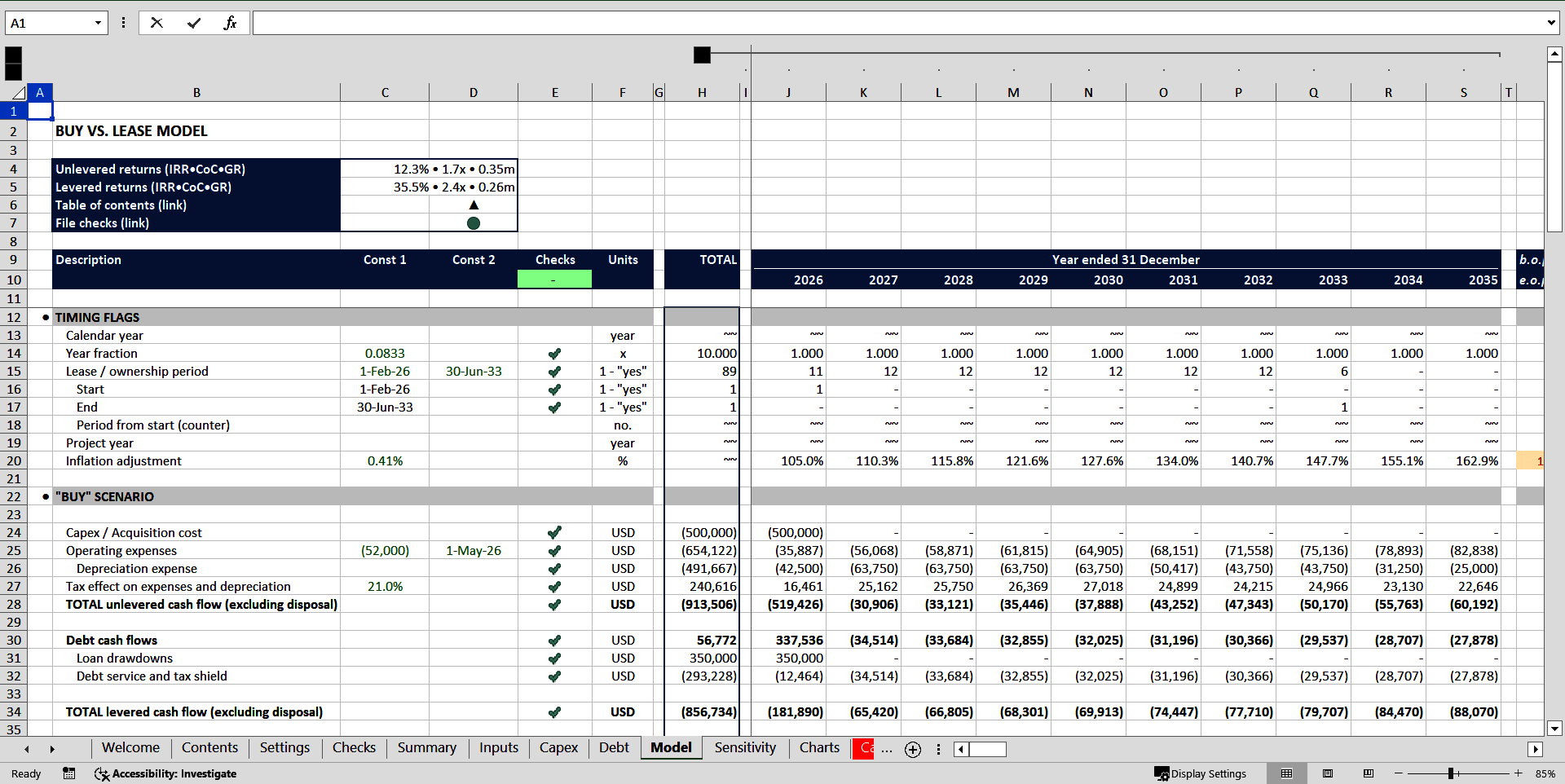
Leased equipment may offer immediate expense deductions through operating lease allowances, whereas purchased equipment can be depreciated over its useful life, providing tax shields over several years. The template should automatically calculate depreciation schedules (e.g., straight‑line or MACRS) and the associated tax impact, making the comparison straightforward.
Risk and Flexibility
Leasing can reduce exposure to obsolescence and maintenance risks. Conversely, ownership grants control over upgrades, customization, and resale value. A comprehensive template includes risk weightings and optional parameters such as residual value, allowing users to simulate different market conditions.
Core Features of a Powerful Lease Vs Buy Equipment Analysis Excel Template
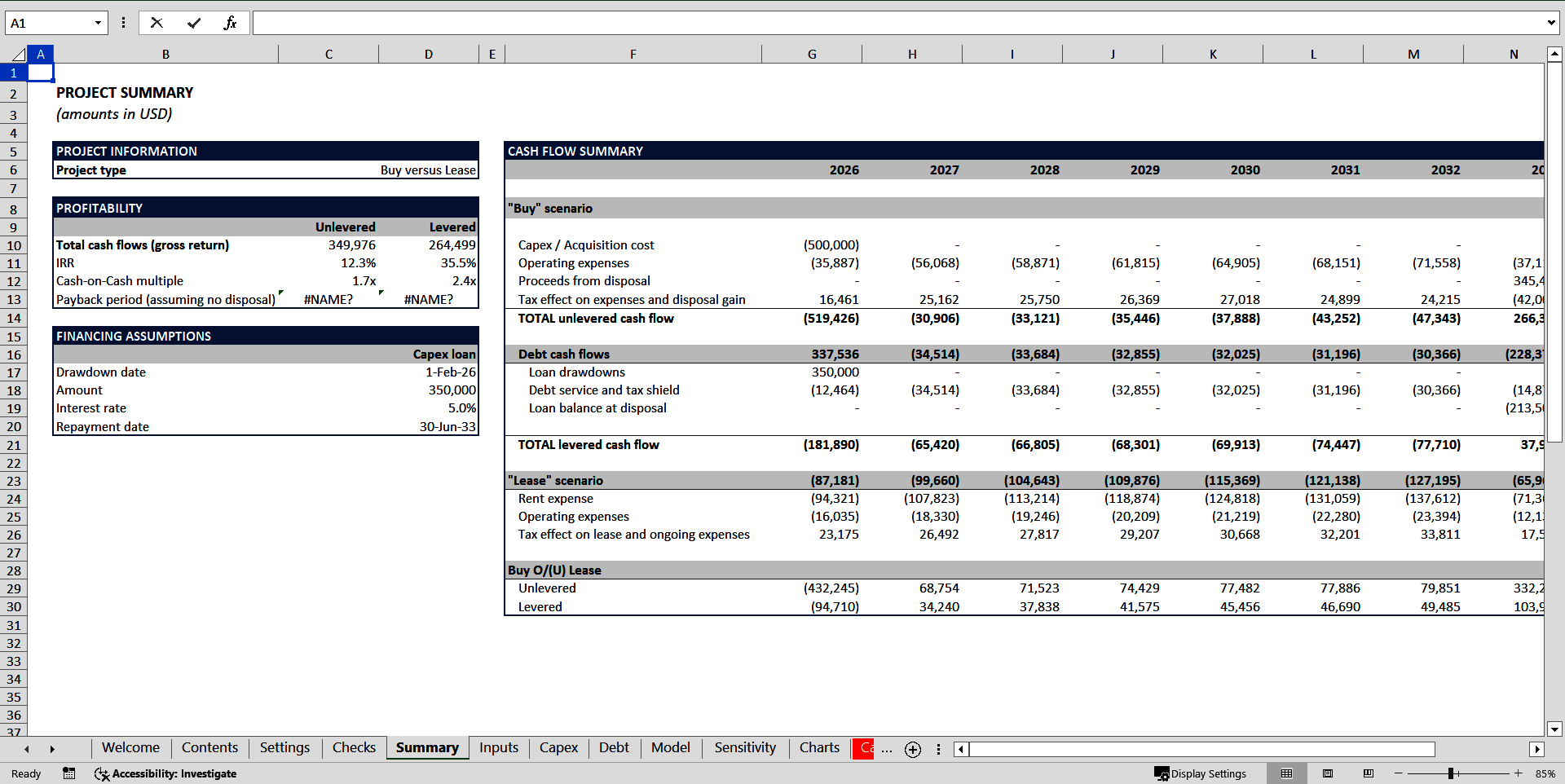
An effective template integrates data entry, calculation, and visualization to streamline the analysis. Below are the essential components.
Data Input Sections
- Initial Cost & Capital Allocation: Purchase price, down payment, and financing terms.
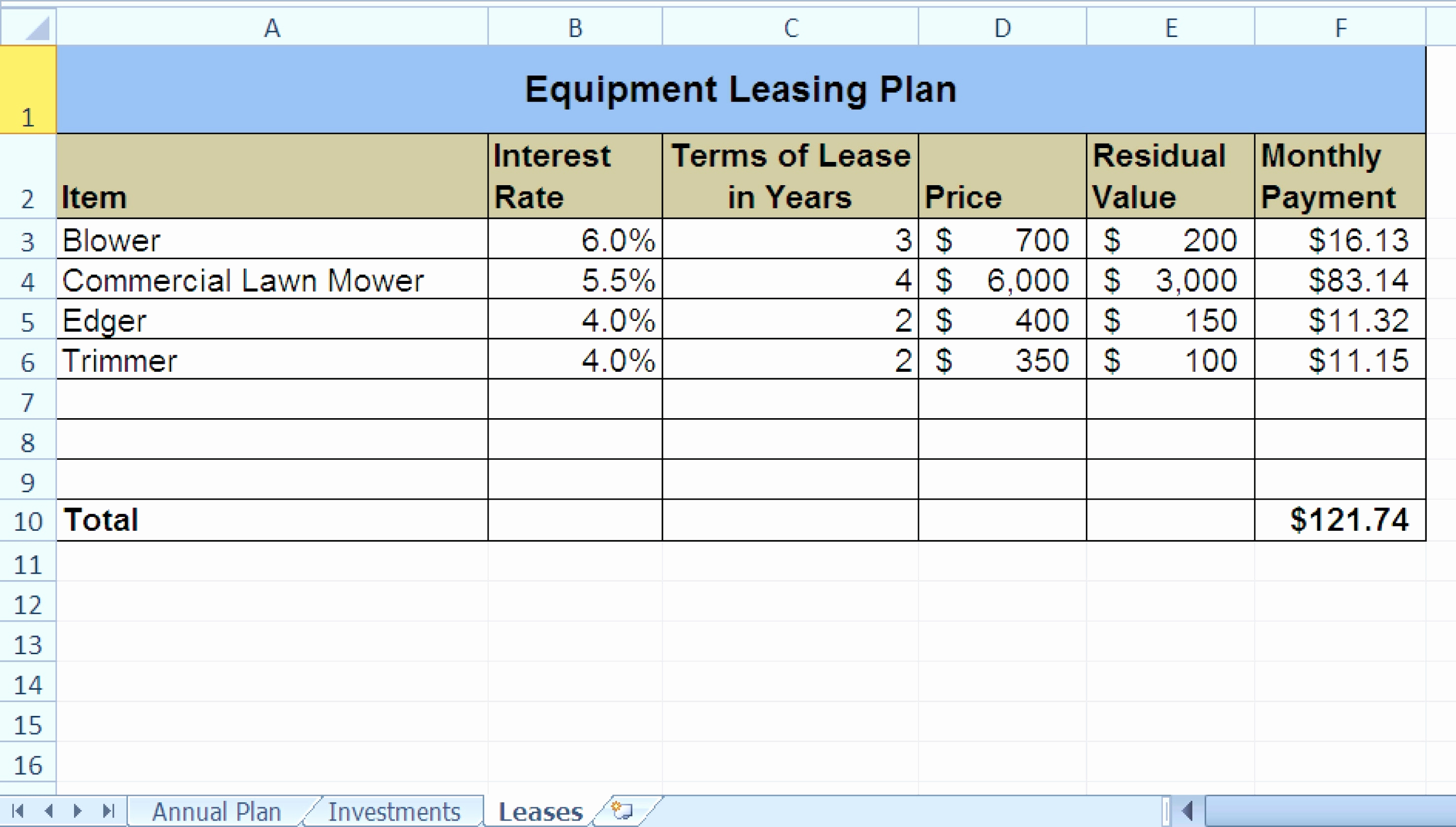
- Lease Terms: Monthly or annual lease rate, lease duration, renewal options, and any cap cost or residual value clauses.
- Operating Assumptions: Maintenance costs, energy usage, and expected equipment lifespan.
- Financial Parameters: Discount rate, inflation, tax rate, and salvage value.
Automated Calculations
- Net Cash Flows: Summation of lease payments, purchase costs, maintenance, and tax shields.
- NPV & IRR: Net present value and internal rate of return for each scenario.
- Payback Period: Time to recover the initial outlay under each option.
- Cost of Capital Adjustment: Incorporating financing costs and cost of equity where applicable.
Sensitivity Analysis
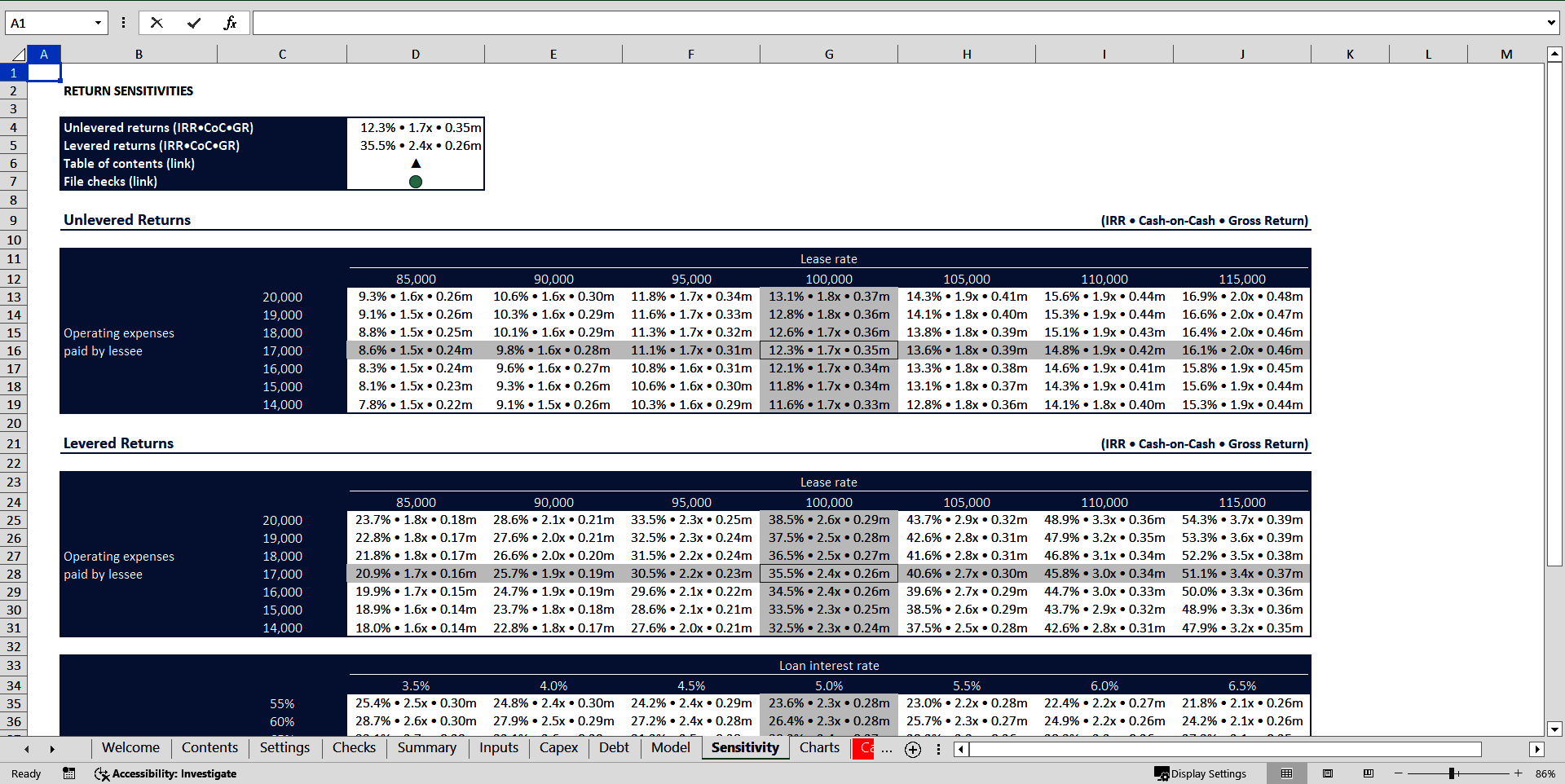
The template should feature dynamic sliders or input tables that allow users to vary key assumptions—such as discount rate, maintenance cost escalation, or residual value—and instantly observe the impact on NPV and IRR. This “what‑if” capability is invaluable for risk assessment.
Step‑by‑Step Guide to Using the Template
Setting Up Your Scenario
Begin by outlining the business context: the type of equipment, its criticality to operations, and the intended usage period. Document any regulatory or compliance factors that could influence the choice.
Entering Lease Terms
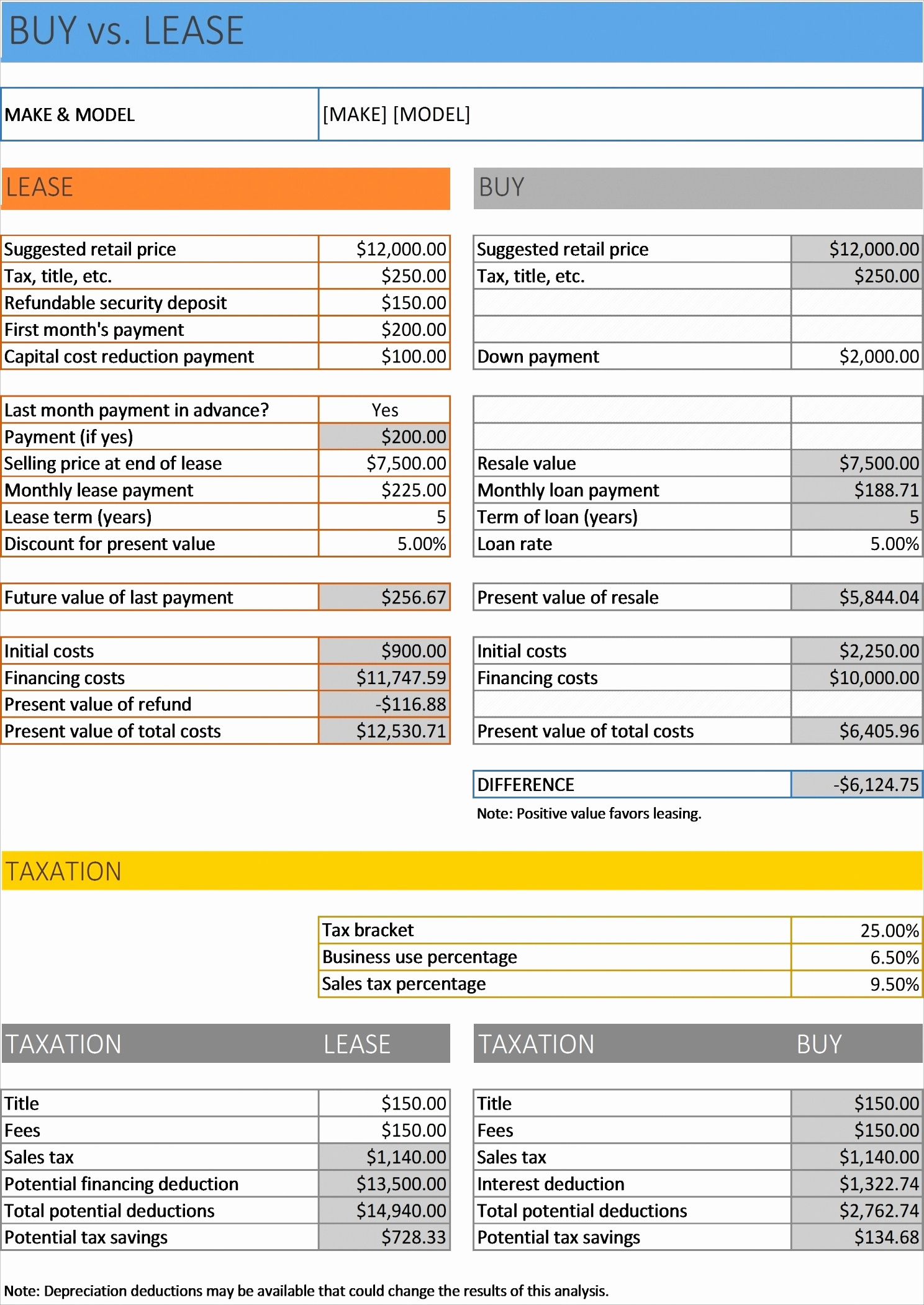
Input the monthly lease payment, lease term length, and any escalation clauses. Include optional clauses such as lease‑to‑own options or early termination penalties. The template will automatically compute the total lease cost and present it in an easy‑to‑read summary.
Entering Purchase Terms
Enter the purchase price, down payment, and financing rate if a loan is involved. Specify the depreciation schedule and expected salvage value at the end of the equipment’s useful life. The template calculates the annual depreciation expense and the tax shield each year.
Running the Analysis
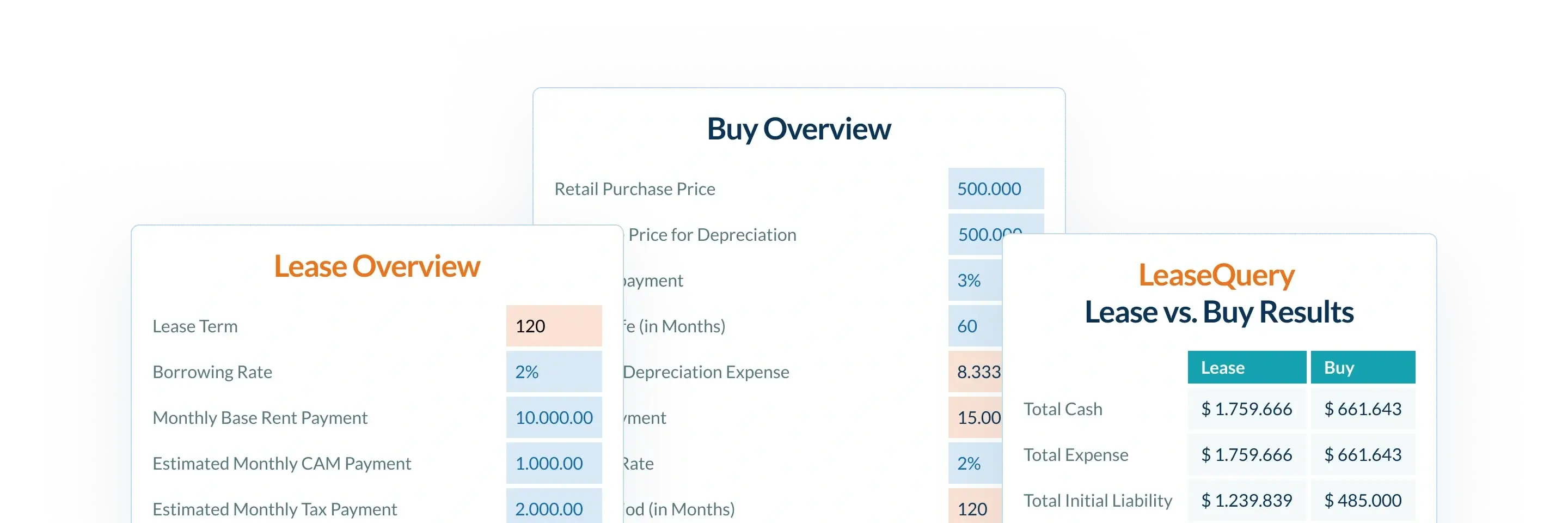
Click the “Run Analysis” button (or simply refresh the sheet). The spreadsheet recalculates all cash flows, NPV, IRR, and other key metrics for both lease and buy options. Results are displayed in comparative tables and charts, making visual assessment intuitive.
Interpreting the Results
Look first at the NPV: a higher NPV indicates a more financially attractive option when discounting future cash flows. IRR comparison reveals which scenario offers a better return on invested capital. Payback period helps assess liquidity implications, and sensitivity tables highlight how changes in assumptions could sway the decision.
Real‑World Scenario: Manufacturing Firm

Consider a mid‑size manufacturing company that needs a CNC machine. The purchase price is $150,000 with a 5‑year useful life and 10% salvage value. Financing is available at a 4% interest rate. Alternatively, the firm can lease the machine at $2,700 per month for five years with a residual value clause of $10,000. By inputting these figures, the template shows that purchasing yields a higher NPV due to the tax shield from depreciation, despite higher upfront costs. However, leasing offers flexibility to upgrade to newer technology after the term, reducing risk of obsolescence.
Real‑World Scenario: Digital Marketing Agency
A digital marketing agency requires high‑performance servers. The servers cost $80,000 each. Leasing is available at $1,200 per month, with a 36‑month term and an option to buy at the end for $5,000. Because the agency’s software stack evolves rapidly, the ability to replace hardware every three years is essential. The template calculates that leasing results in a lower NPV but provides the agency with the agility needed to maintain cutting‑edge performance. Decision makers can now weigh financial metrics against operational necessity.
Common Mistakes to Avoid
Even with a sophisticated template, users can inadvertently skew results:
- Ignoring Maintenance Costs: Many analyses omit recurring maintenance fees, which can be substantial.
- Underestimating Tax Implications: Assuming equal tax benefits for lease and purchase can distort the comparison.
- Failing to Adjust for Inflation: Future cash flows should be inflation‑adjusted to maintain realism.
- Overlooking Residual Value: Residual values can dramatically change the financial outcome.
Enhancing the Template with Advanced Techniques

Incorporating Maintenance Costs
Insert a separate sheet that projects maintenance expenses on a monthly basis, factoring in escalation rates. The main analysis sheet pulls these figures, ensuring that total cost of ownership reflects real operating expenses.
Adding a Discount Rate Adjusted for Inflation
Use a two‑stage discounting approach: an initial discount rate for the first few years, then a higher rate reflecting inflationary expectations. This technique provides a more accurate NPV in volatile economic environments.
Scenario Modeling for Market Changes
Create a “Scenario Manager” that allows the user to switch between multiple market conditions—such as a sudden rise in interest rates or a shift to a new technology standard—without altering the base data. This flexibility makes the template a living tool for strategic planning.
How the Template Supports Strategic Decision Making
Beyond raw numbers, the template offers strategic insights:
- Capital Allocation Efficiency: By preserving working capital through leasing, firms can invest in growth opportunities.
- Risk Appetite Alignment: High‑risk businesses may favor leasing to avoid asset obsolescence.
- Regulatory Compliance: Certain industries require equipment to meet specific standards; leasing may offer quicker upgrades.
- Stakeholder Communication: Clear visual dashboards help CFOs and board members understand trade‑offs.
Conclusion
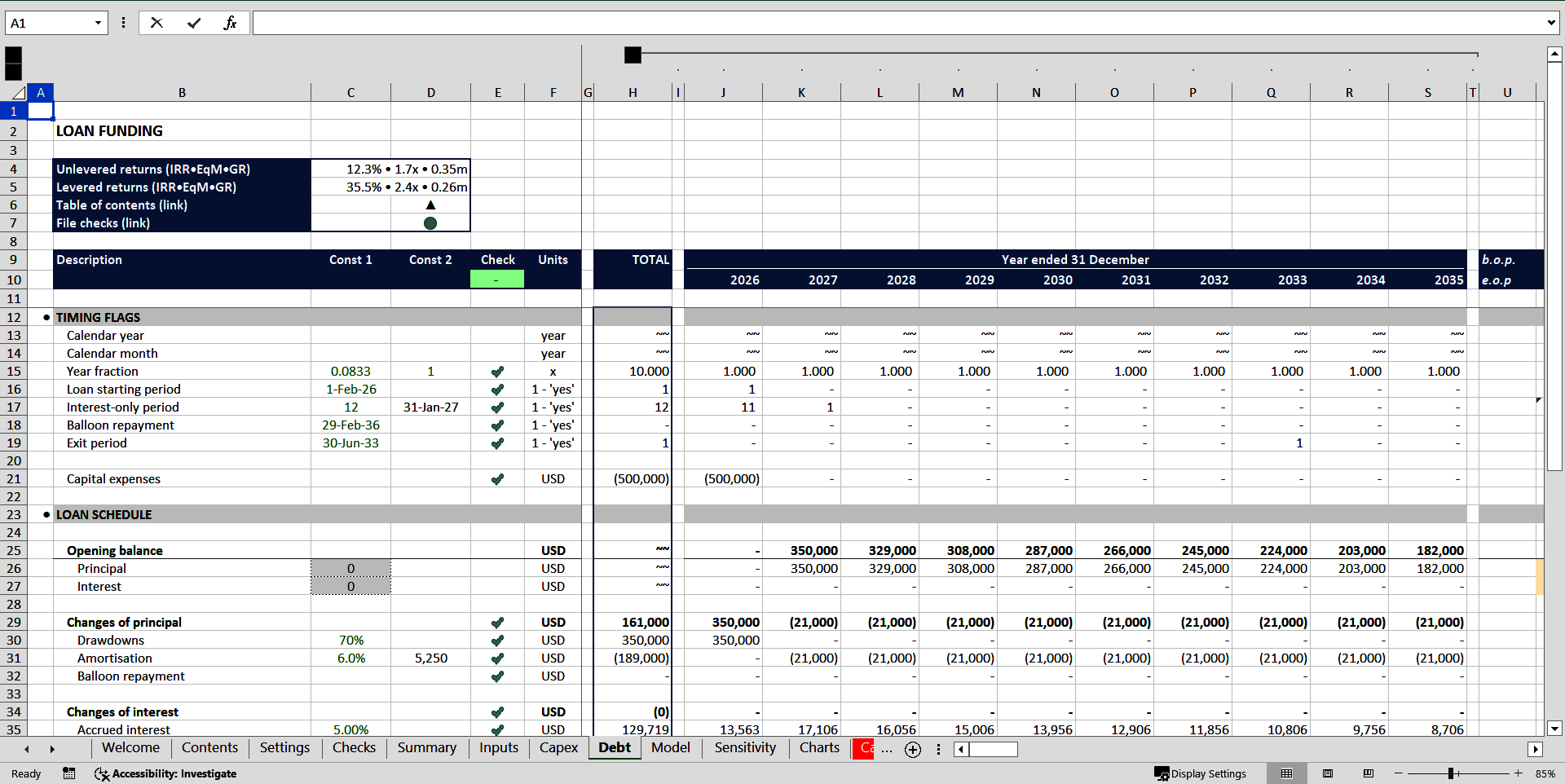
Choosing between leasing and buying equipment is a nuanced decision that hinges on cash flow, tax strategy, risk tolerance, and operational needs. A Lease Vs Buy Equipment Analysis Excel Template consolidates these factors into a single, dynamic tool that delivers accurate, actionable insights. By following the step‑by‑step guide, avoiding common pitfalls, and enhancing the template with advanced techniques, businesses can make informed, data‑driven choices that align with their long‑term financial strategy and operational goals.