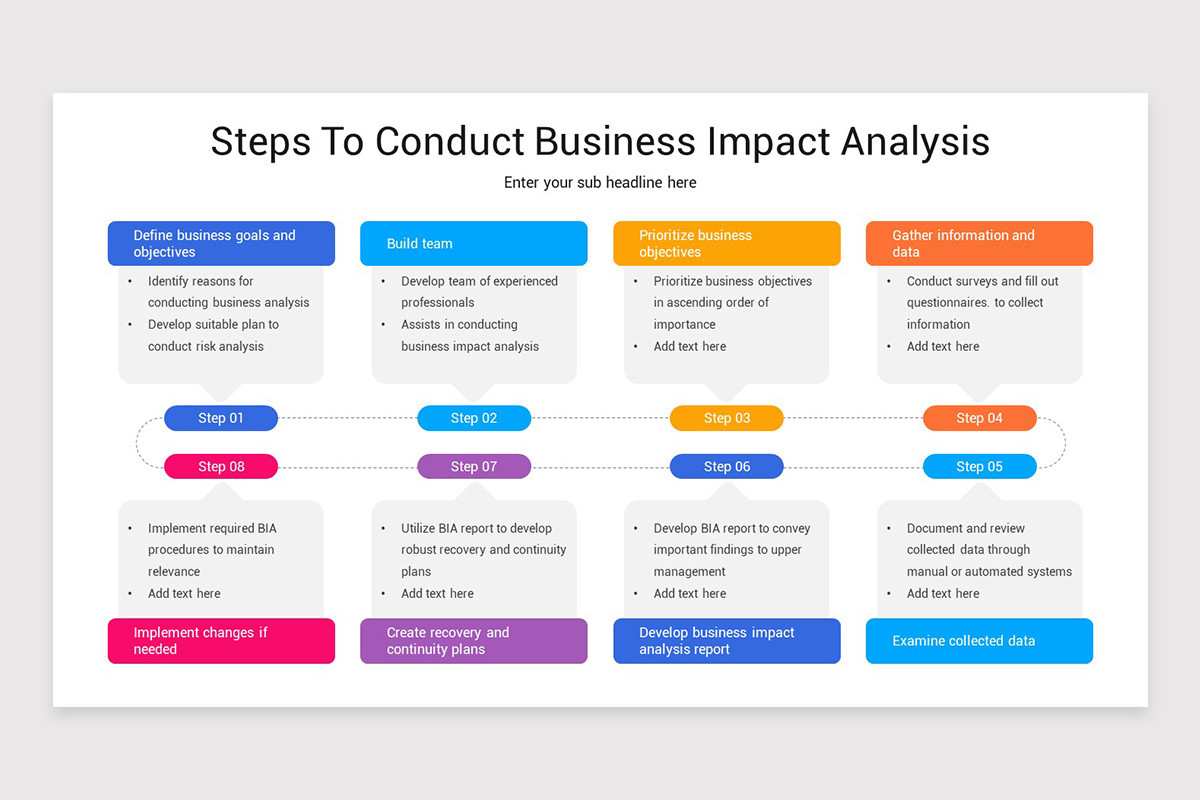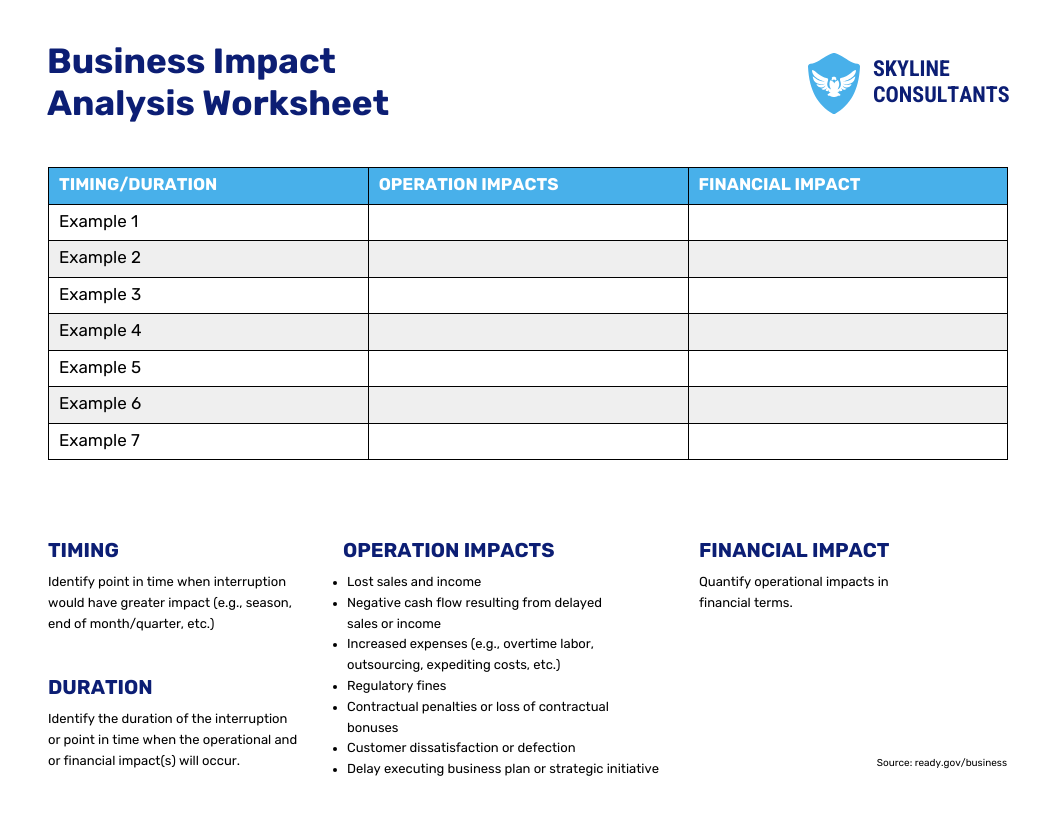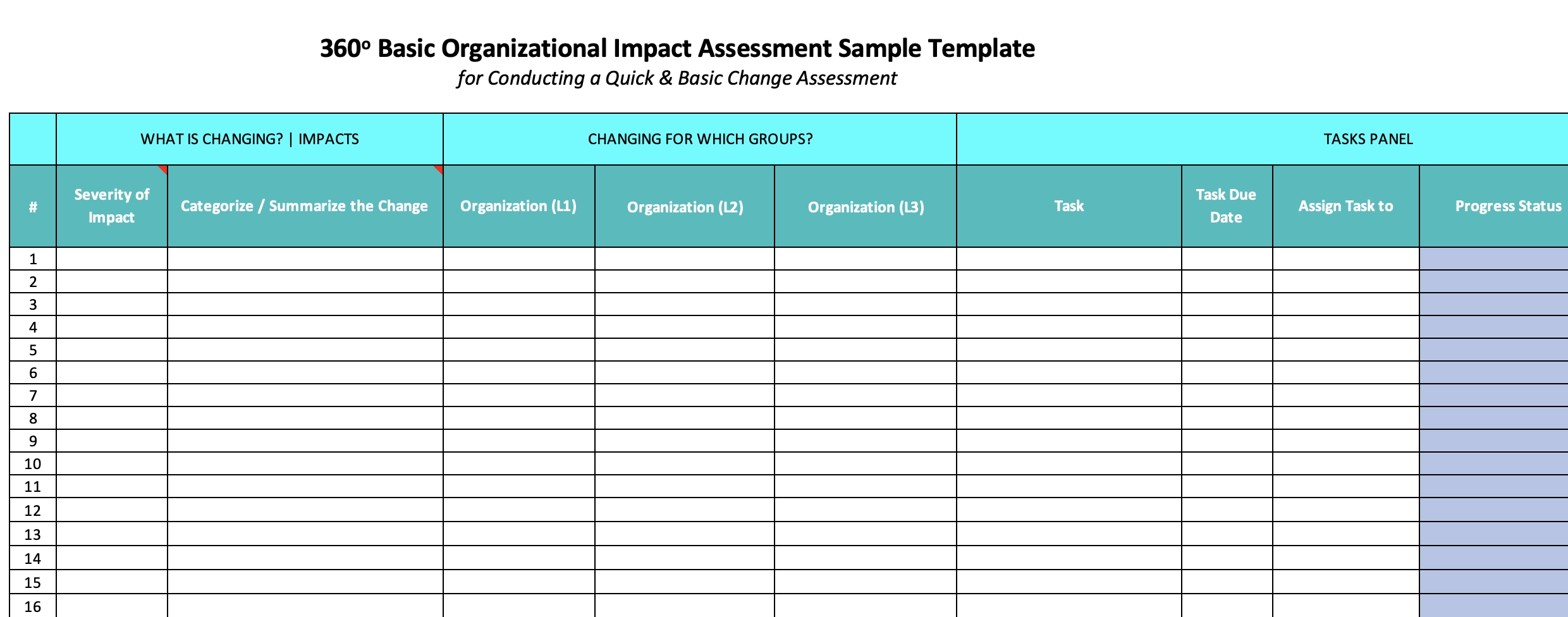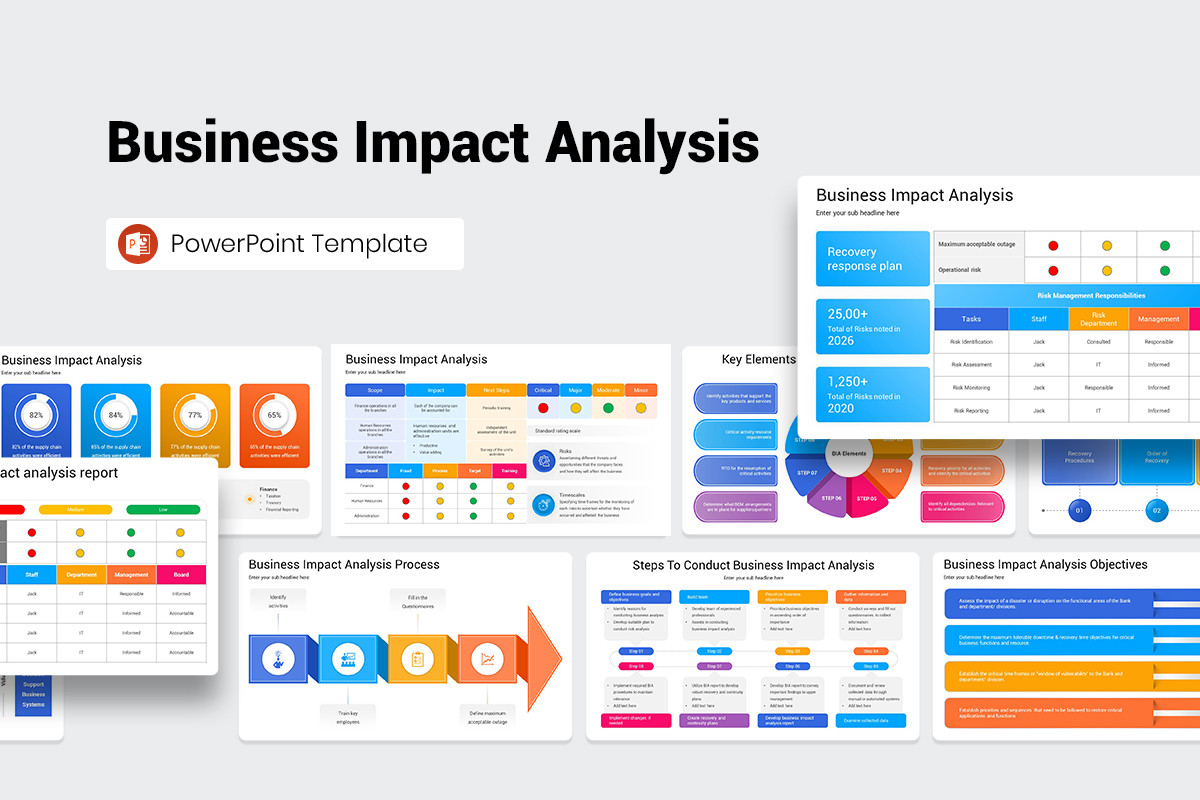
Business Analysis Impact Assessment Template is the cornerstone of any resilient organization, enabling decision-makers to quantify risks, prioritize resources, and safeguard critical operations against disruptions. By weaving together structured data, clear visual cues, and actionable insights, this template transforms complex threat landscapes into manageable, actionable plans.
Understanding the Purpose of a Business Impact Assessment
Defining Business Impact Analysis
Business Impact Analysis (BIA) is a systematic process that identifies and evaluates the effects of disruptions on business functions. It captures the financial, operational, legal, and reputational consequences that could arise from incidents ranging from cyber-attacks to natural disasters. The outcome is a prioritized list of essential processes and the thresholds at which they become non‑viable.
Why It Matters
A well‑crafted BIA template ensures that an organization’s response plans align with actual business needs. It translates intangible risk into quantifiable metrics, such as maximum tolerable downtime (MTD) and recovery time objectives (RTO). This alignment prevents costly over‑engineering of recovery solutions and guarantees that critical services remain available during crises.
Key Components of an Effective Template
Executive Summary
The executive summary should distill the BIA’s core findings into a concise narrative. Include the overall risk posture, key impact categories, and top priority recovery actions. This section allows senior executives to grasp the urgency without delving into granular data.
Scope & Objectives
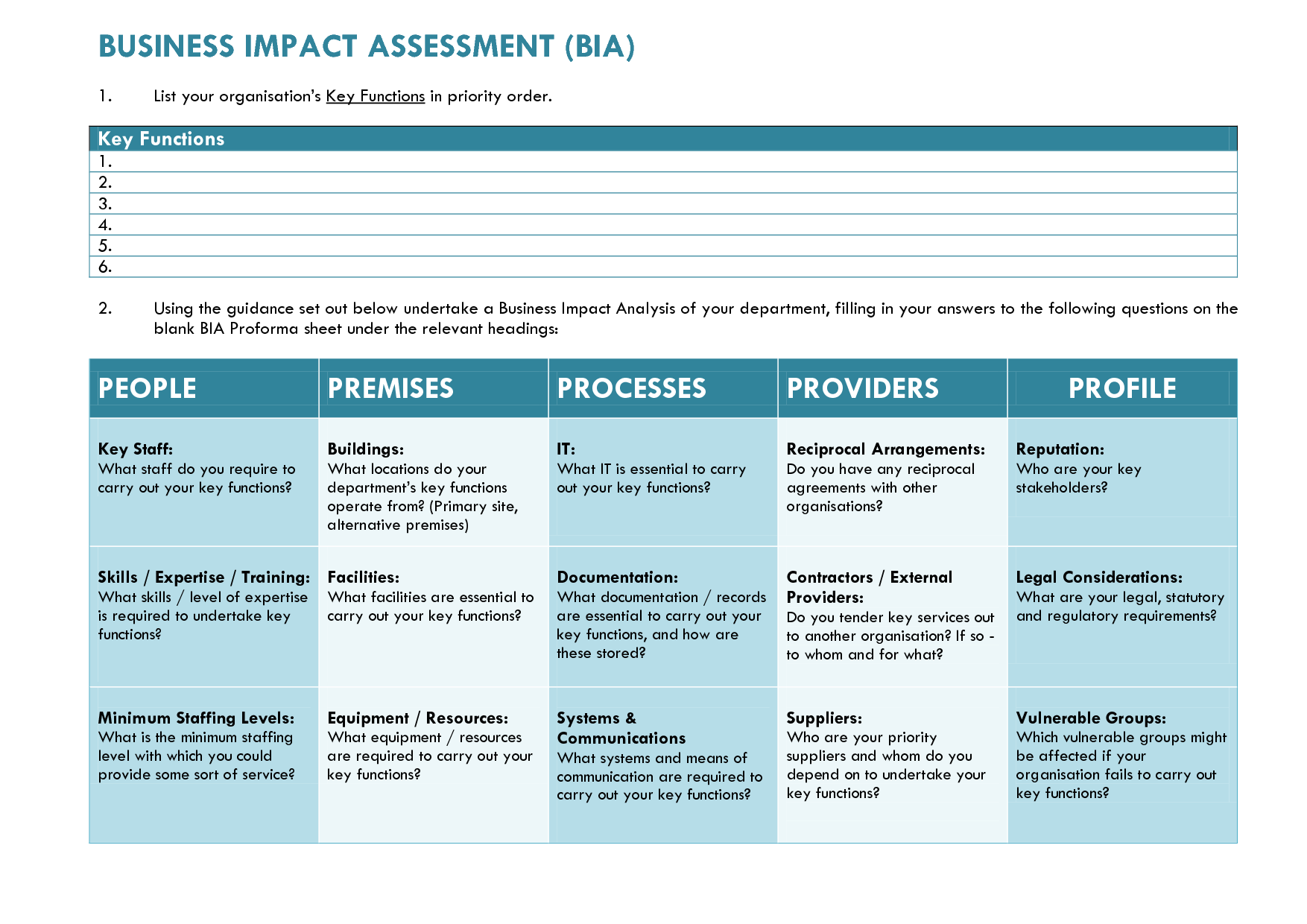
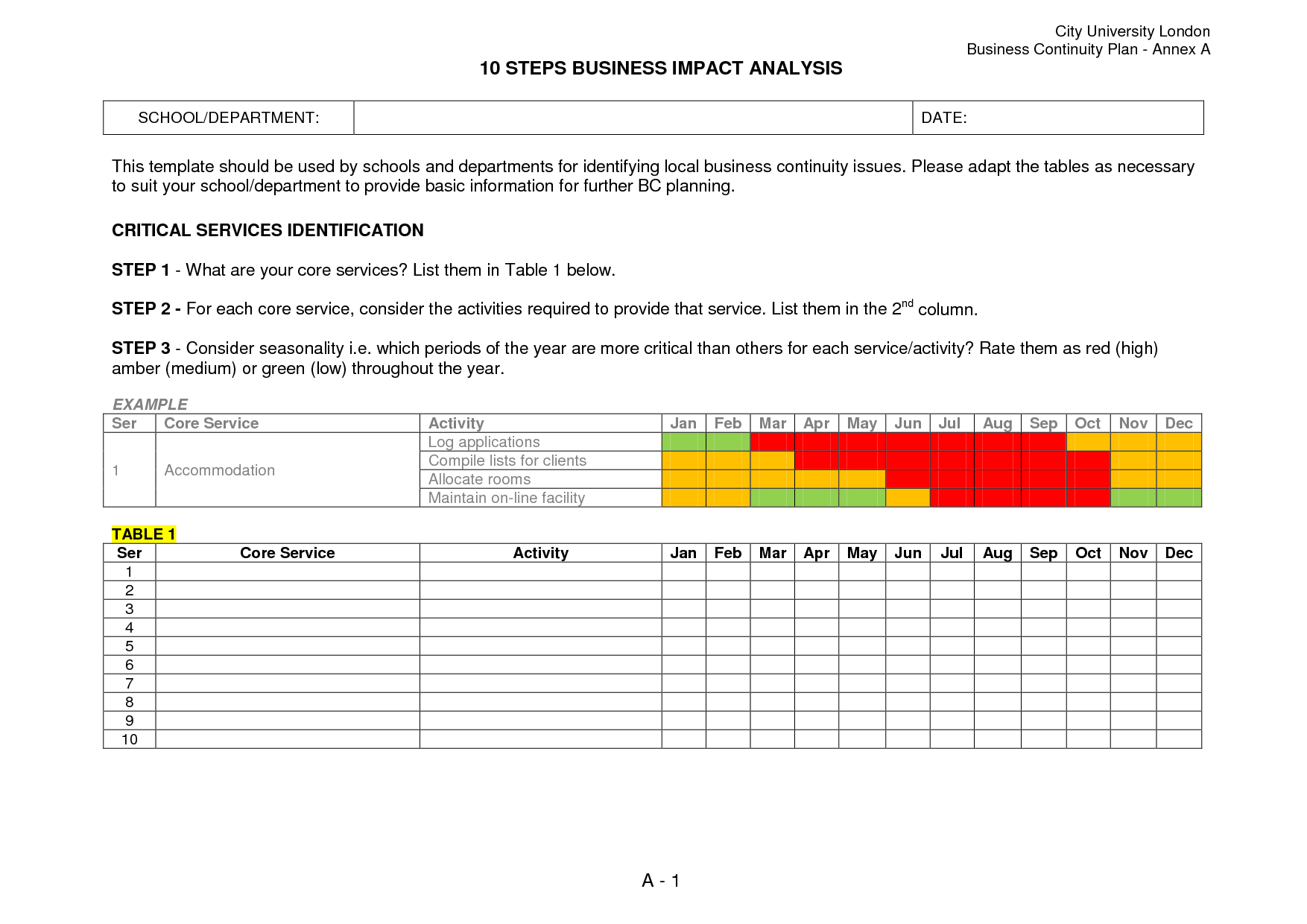
Clearly outline the boundaries of the analysis. Specify which business units, processes, and geographical locations are covered. Define the objectives—whether it’s to support disaster recovery planning, compliance, or operational resilience initiatives.
Risk Identification
List potential threat sources, such as infrastructure failure, supply chain disruptions, regulatory changes, and cybersecurity incidents. Use a standardized taxonomy (e.g., ISO 27005 or NIST) to ensure consistency across the template.
Impact Analysis Matrix
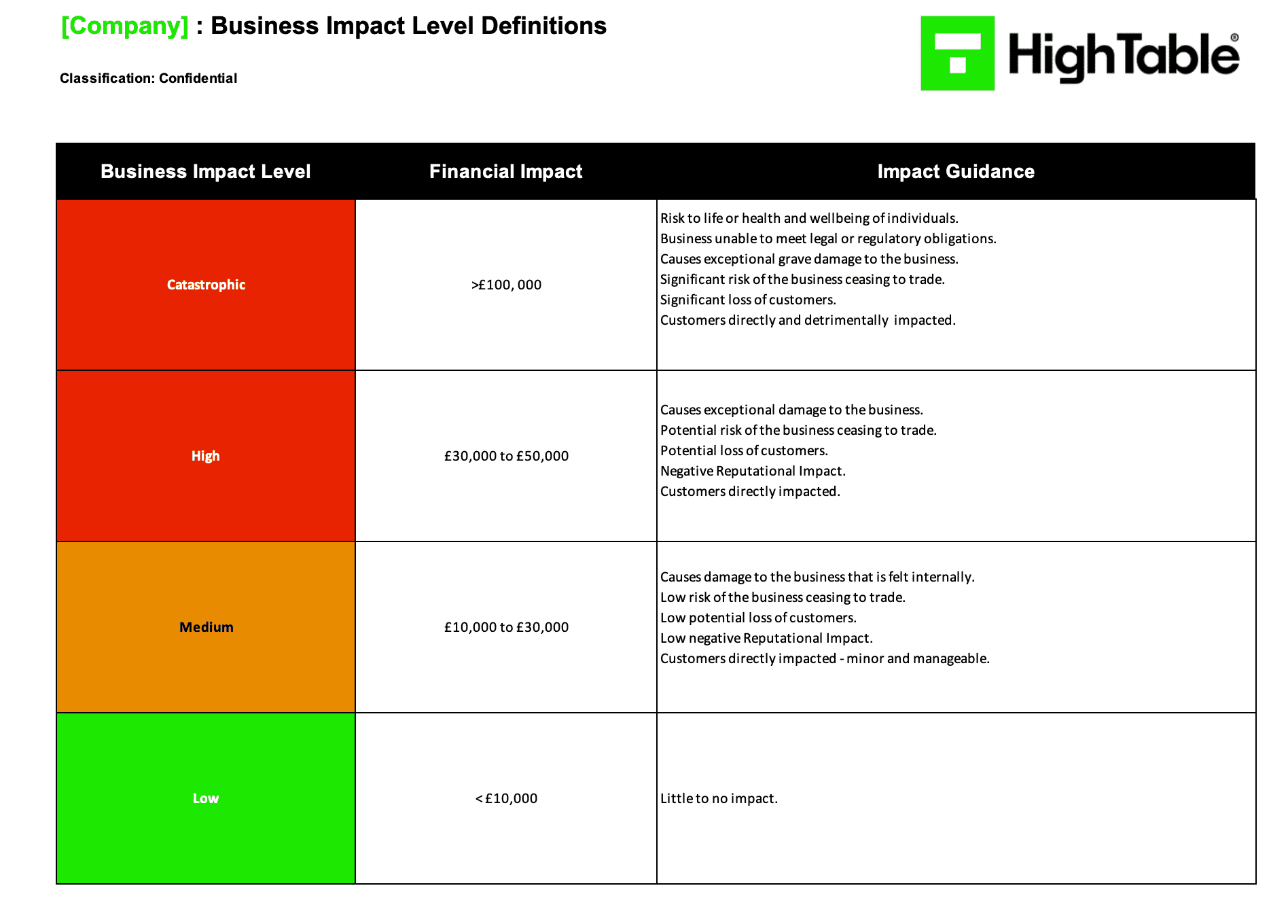
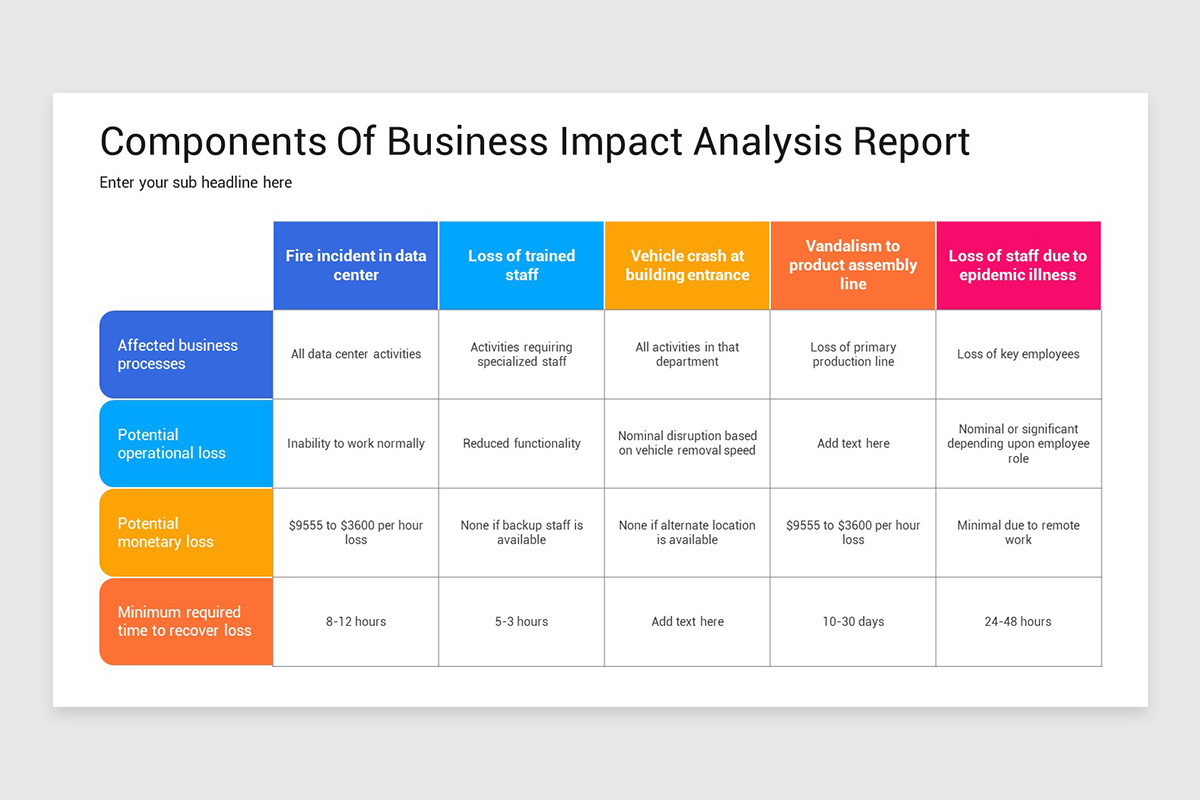
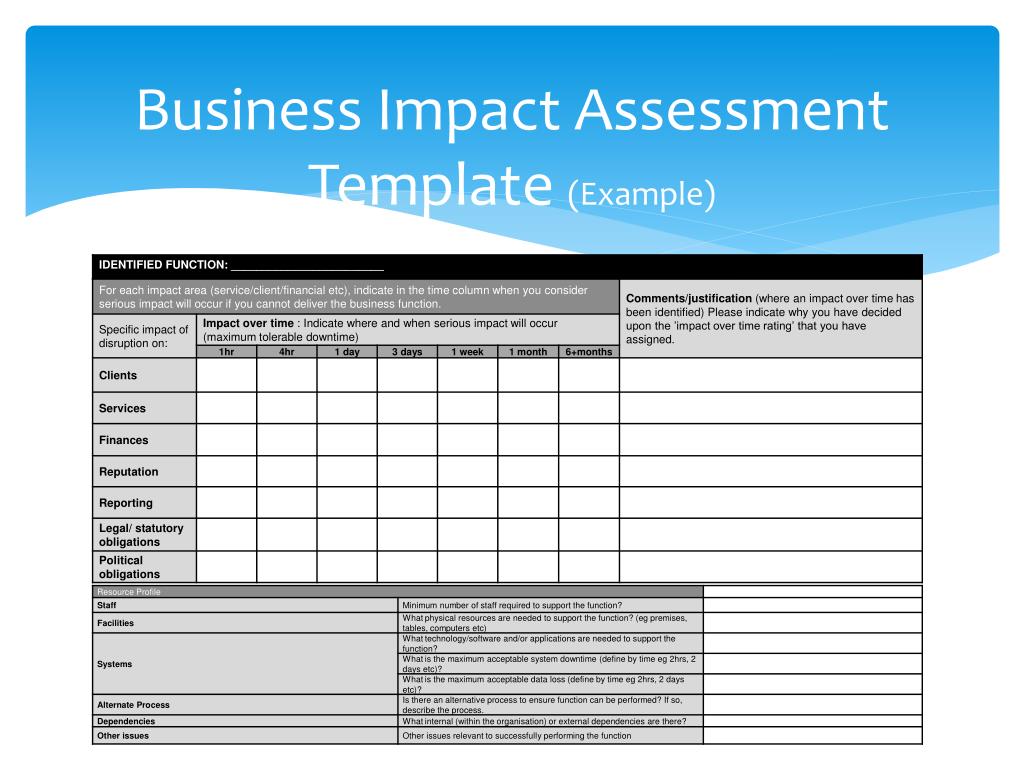
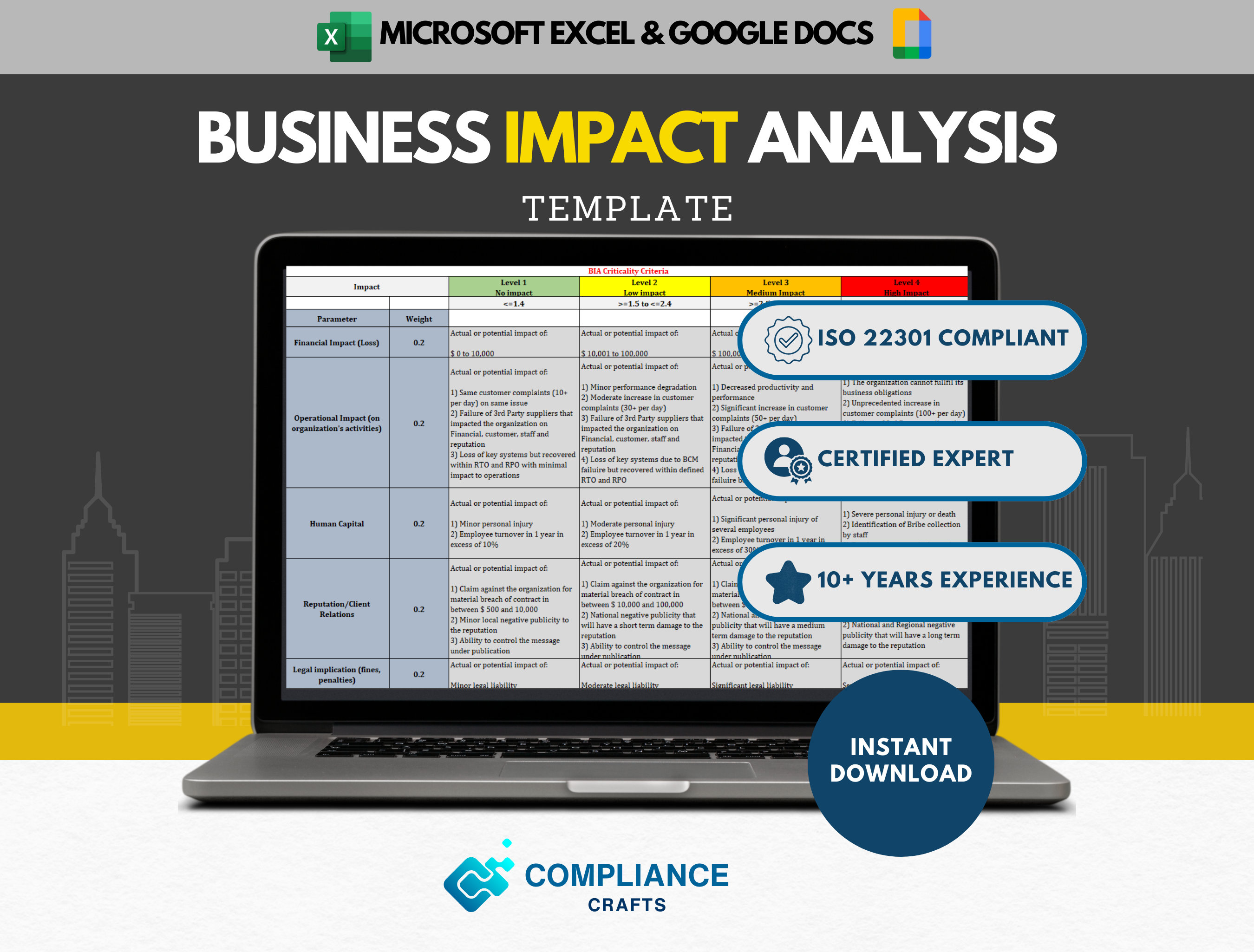
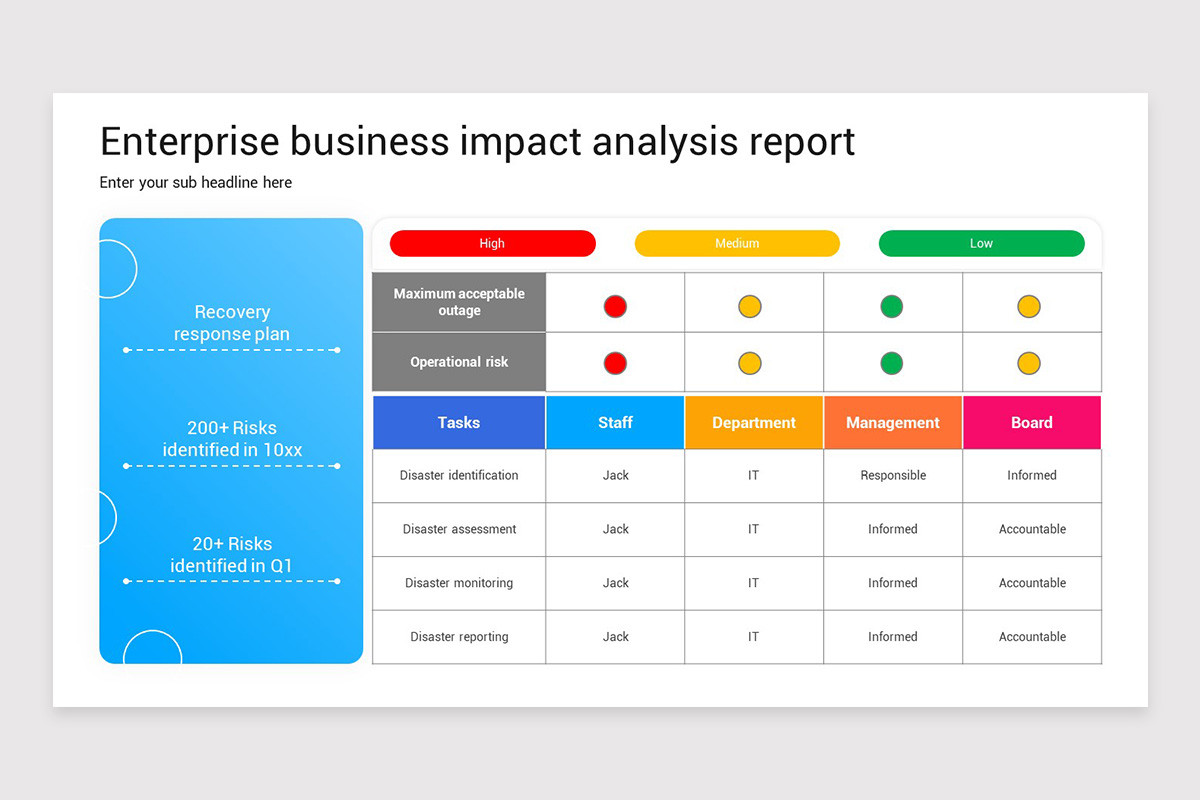
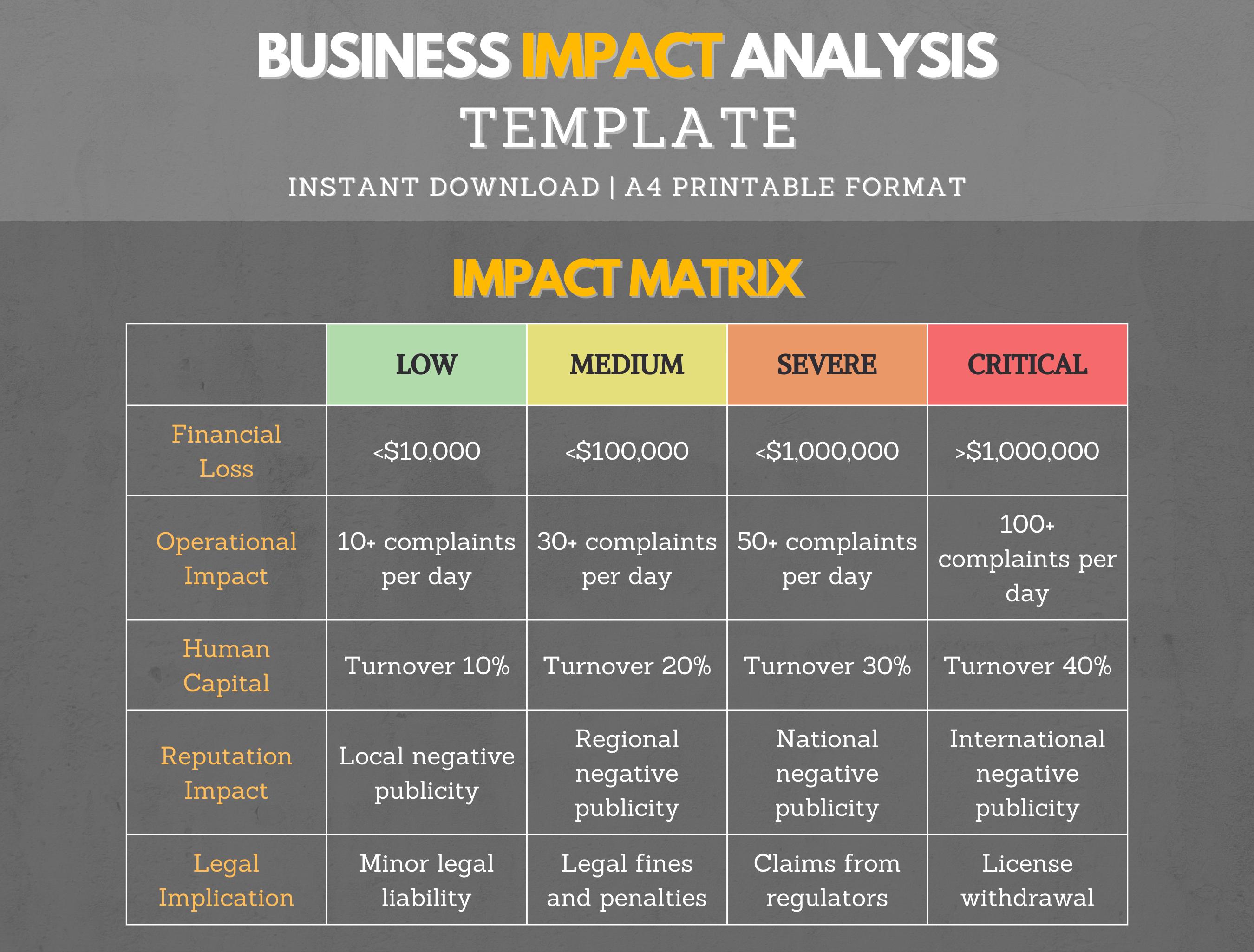
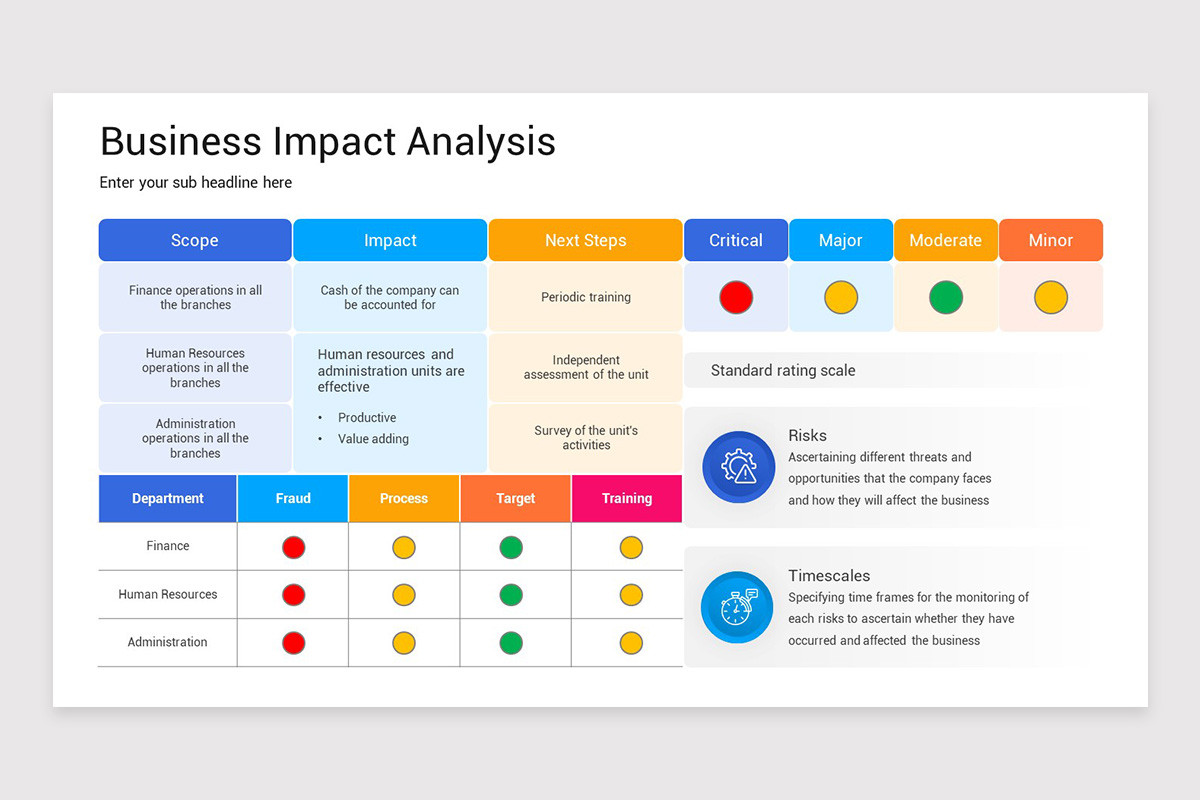
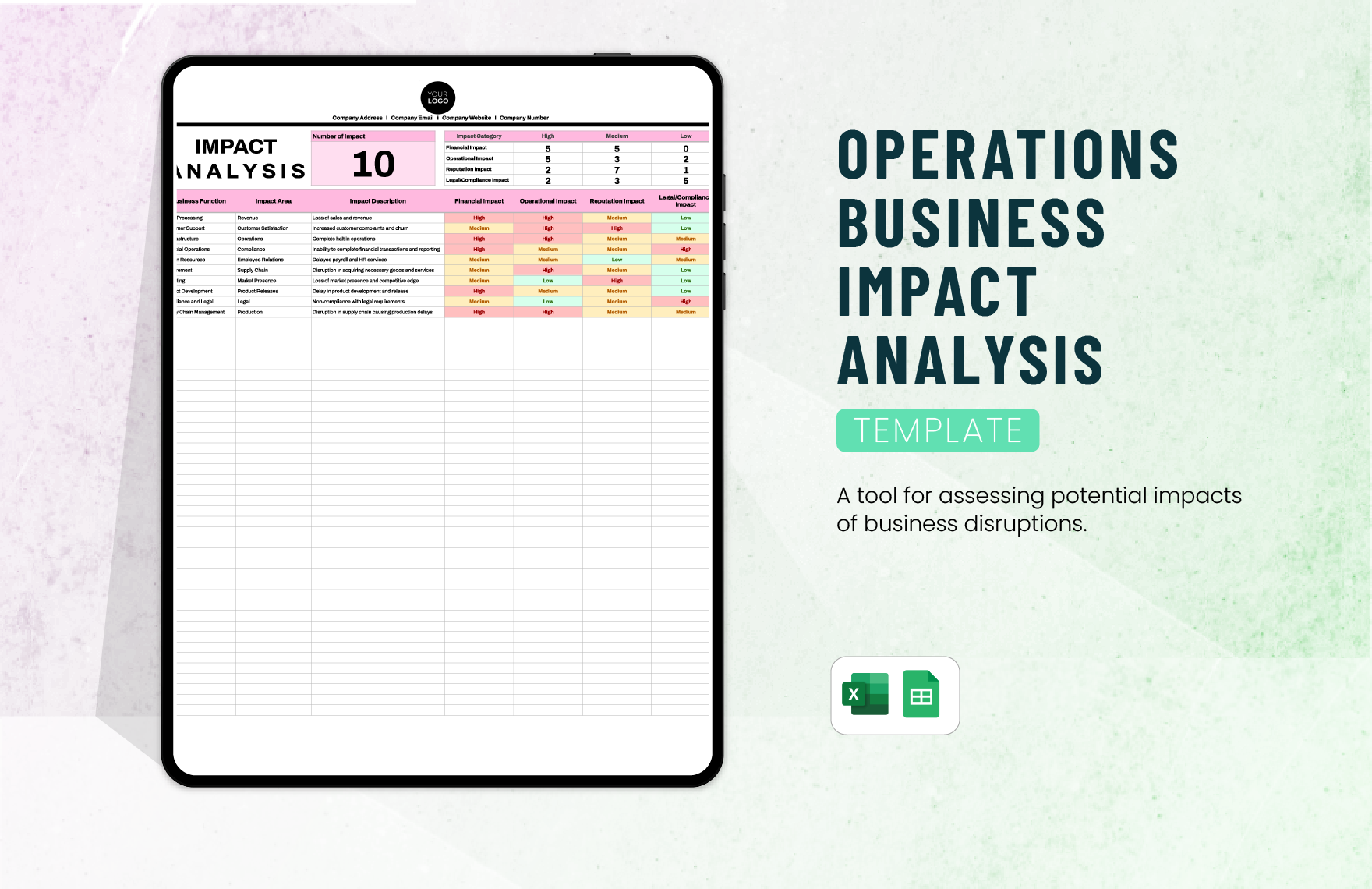
Employ a two‑dimensional matrix that cross‑references processes with impact categories: financial loss, operational downtime, customer impact, and regulatory penalties. Rate each cell on a defined scale—Low, Medium, High, or Critical—to visualize the most vulnerable points at a glance.
Recovery Strategies
For each critical process, list feasible recovery options—cloud failover, alternative suppliers, manual workarounds, or temporary relocation. Pair each strategy with an RTO/RPO target and the required resources.
Documentation & Review
Maintain a living document that records assumptions, data sources, and revision history. Schedule regular reviews, at least annually, or after significant organizational changes such as mergers or new regulatory mandates.
Step‑by‑Step Guide to Building Your Template
Step 1: Gather Stakeholder Input
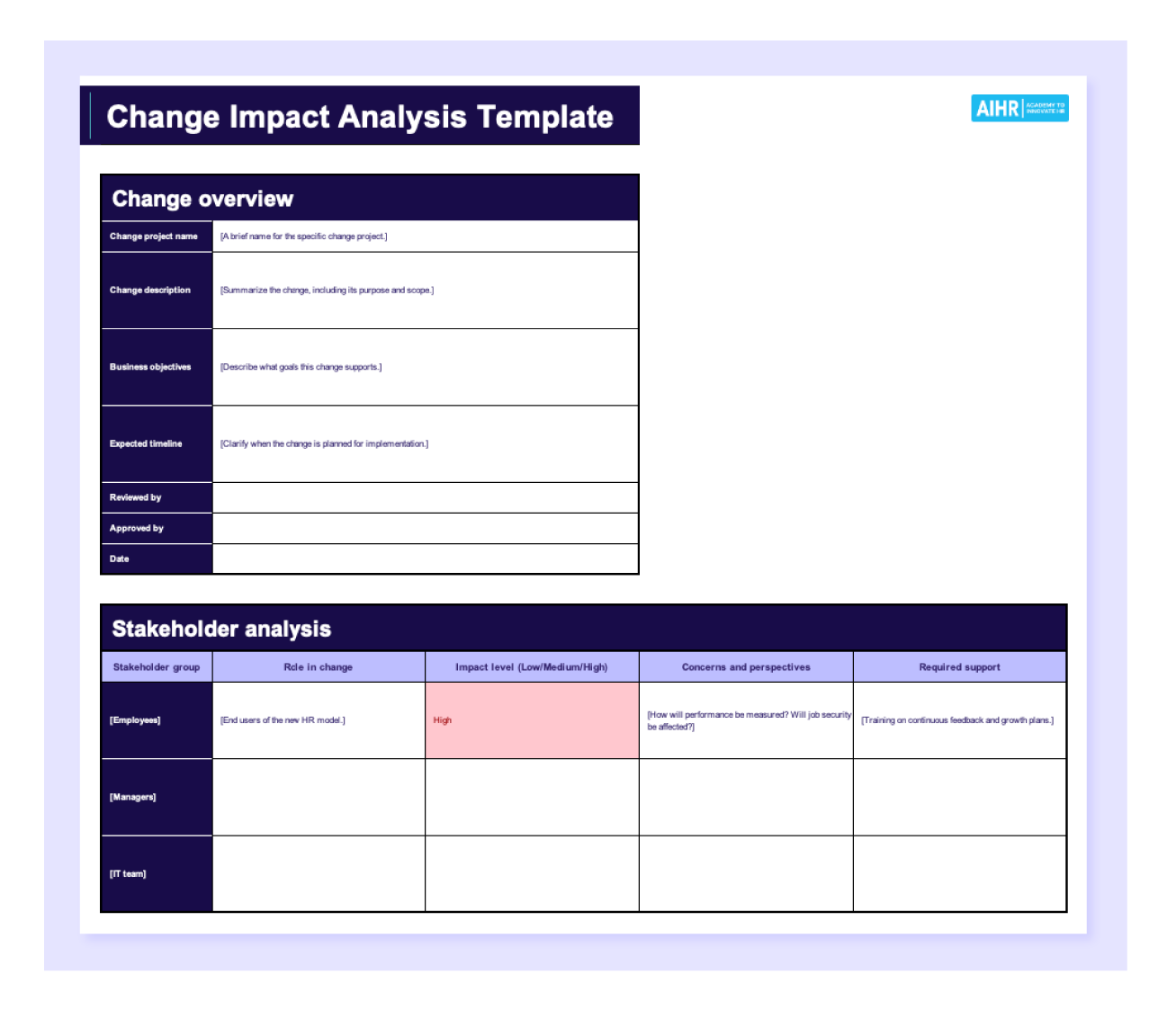
Begin by assembling cross‑functional teams—operations, IT, finance, legal, and marketing. Conduct workshops to capture insights on process dependencies, criticality, and historical incident data. Document all viewpoints in a shared repository.
Step 2: Identify Critical Processes
Apply a scoring rubric to assess each process’s essentiality. Consider factors like revenue contribution, customer touchpoints, and contractual obligations. Assign a priority rank to focus effort where it matters most.
Step 3: Assign Impact Ratings
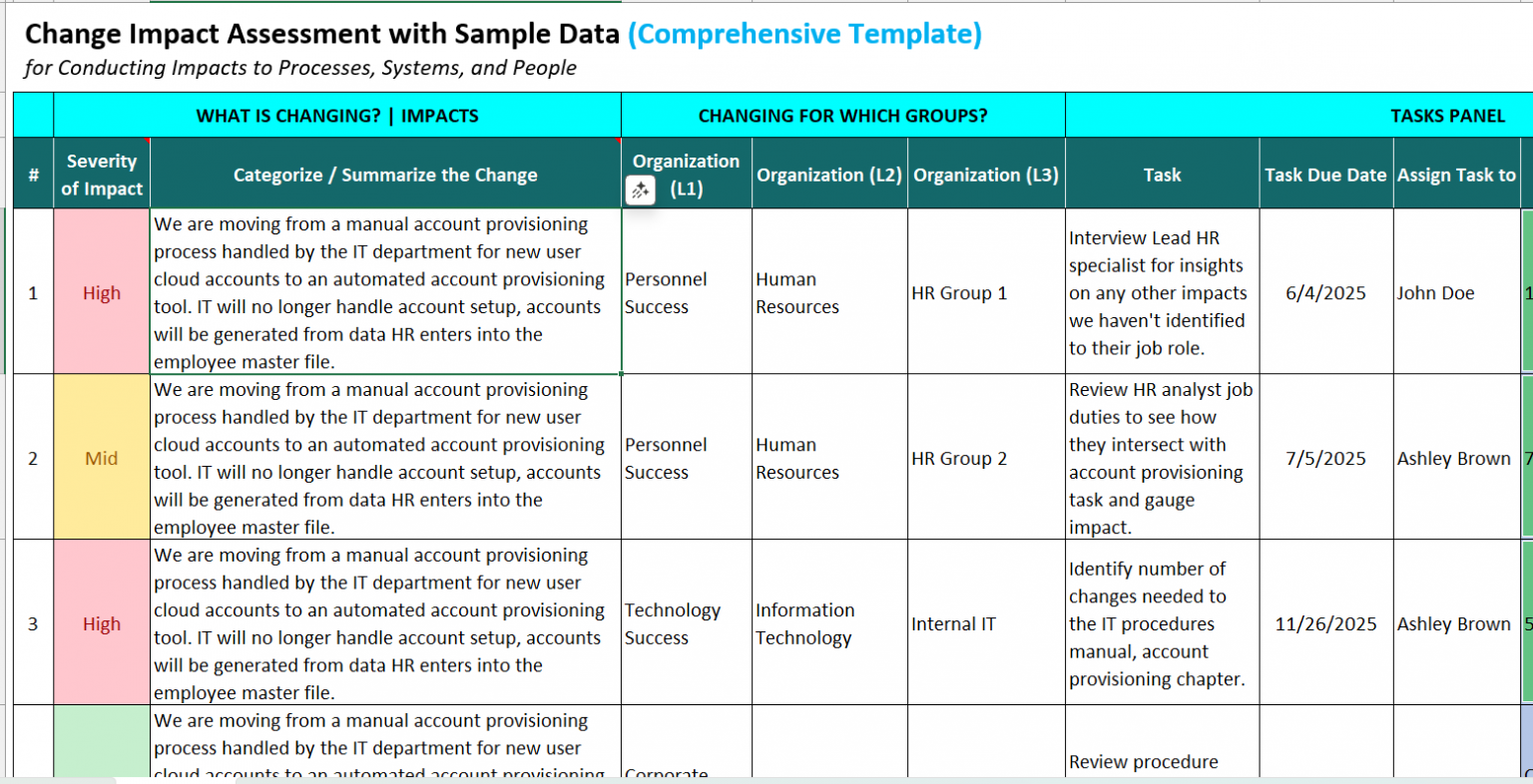
Using the impact analysis matrix, evaluate each process against four core dimensions: financial impact, operational impact, customer impact, and compliance impact. Record results as numeric values or categorical labels, then compute an aggregate impact score.
Step 4: Develop Recovery Time Objectives (RTO)
For every high‑impact process, define a realistic RTO based on business needs and available technology. Use a tiered approach: Tier 1 (0–4 hrs), Tier 2 (4–24 hrs), Tier 3 (24–72 hrs), and Tier 4 (72 hrs+). Align these objectives with your organization’s risk appetite.
Step 5: Draft Contingency Plans
Create concise, action‑oriented contingency procedures for each prioritized process. Include step‑by‑step instructions, responsible roles, and required resources. Embed links to supporting documents such as vendor agreements or data backup schedules.
Step 6: Validate and Test the Template
Run tabletop exercises with stakeholders to test the realism of RTOs and contingency plans. Verify that all data points are accurate and that the template integrates smoothly with existing IT service management (ITSM) tools. Document lessons learned and update accordingly.
Real-World Example: A Retail Company’s BIA
Scenario Overview
Mid‑town Retail Ltd. operates a network of 25 stores, an e‑commerce platform, and a centralized inventory system. During the summer, the company experienced a series of ransomware attacks that locked the POS system and disrupted online orders.
Impact Findings
- Financial Loss: Estimated $1.2 million in lost revenue and remediation costs.
- Operational Downtime: 48 hours of in‑store sales halted; website downtime of 36 hours.
- Customer Impact: Over 50,000 order cancellations, leading to a 15% dip in customer satisfaction.
- Regulatory Penalties: Potential $250,000 fine for non‑compliance with PCI DSS.
Mitigation Plan
Following the BIA, the company adopted the following recovery strategies:
- Implement a multi‑factor authentication layer for POS access.
- Deploy an off‑site backup of the inventory database with a 4‑hour RTO.
- Establish a temporary e‑commerce mirror on a cloud platform to restore online sales within 6 hours.
Common Pitfalls and How to Avoid Them
Incomplete Data Collection
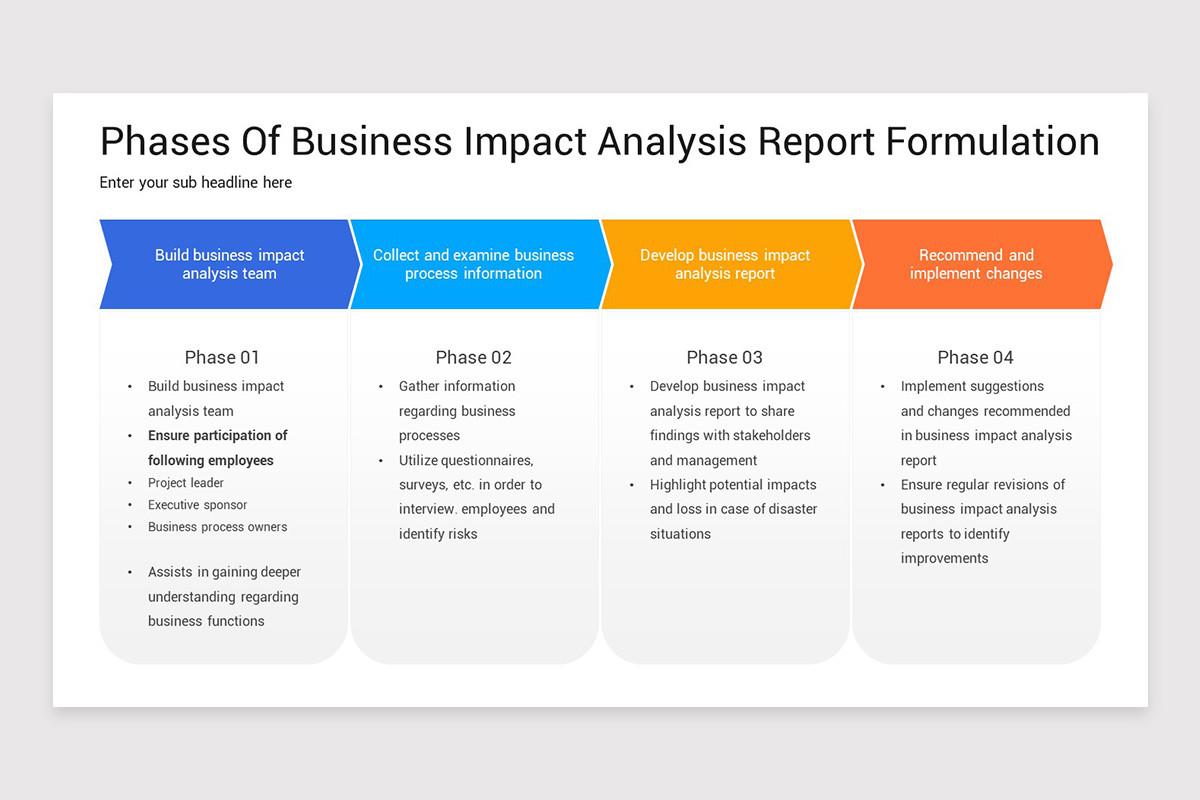
Relying on anecdotal evidence or outdated reports can skew impact ratings. Ensure data is sourced from recent audits, incident logs, and financial statements. Validate inputs through a secondary review process.
Overlooking Interdependencies
Processes rarely operate in isolation. Failure to map interdependencies—such as how inventory management relies on supplier data feeds—can lead to hidden bottlenecks. Use a dependency matrix to capture these links.
Neglecting Regular Updates
Business environments evolve rapidly. Treat the BIA template as a living document that requires quarterly reviews or immediate updates following major incidents, system upgrades, or regulatory changes.
Best Practices for Maintaining Your BIA Template
Version Control
Implement a robust version control system—whether via a document management platform or a source control repository—to track changes, author contributions, and audit trails.
Training & Communication
Conduct annual refresher training for all stakeholders. Provide quick reference guides and role‑based access controls to ensure that everyone knows where to find the BIA and how to contribute.
Integration with Business Continuity Plans
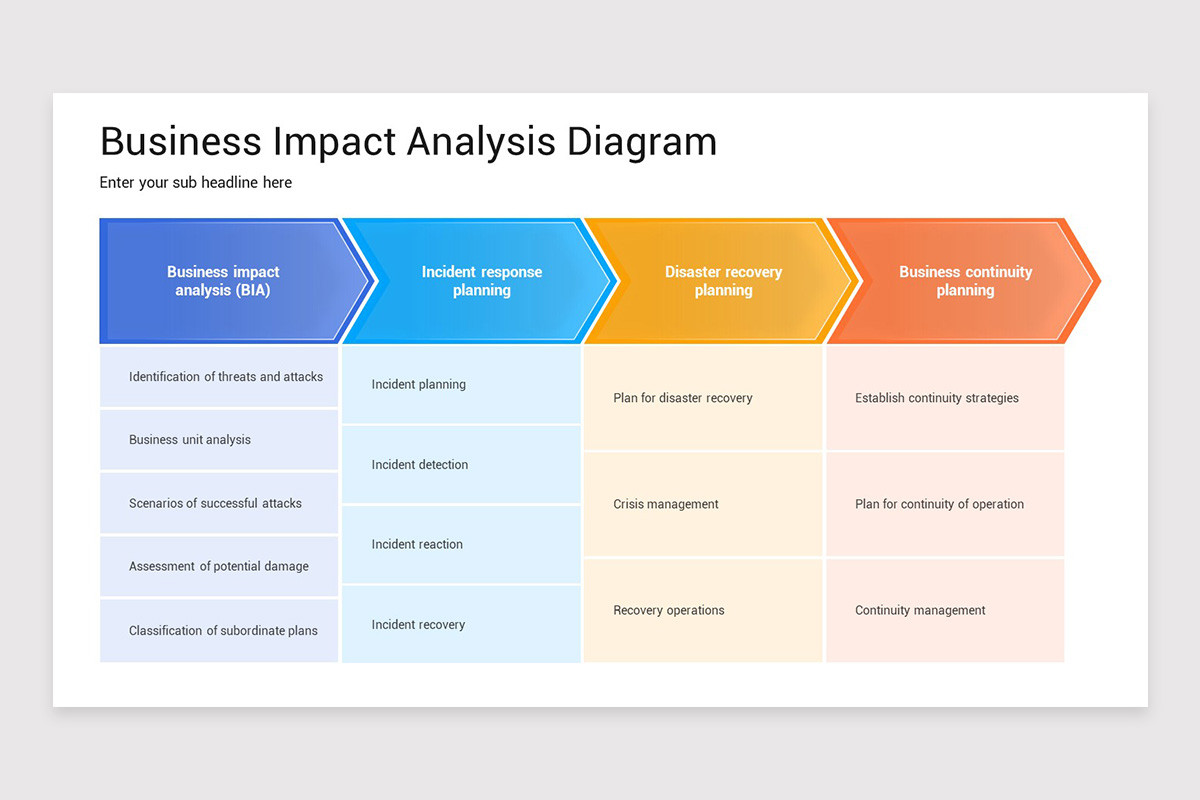
Align the BIA template with the broader Business Continuity Plan (BCP). Use the BIA findings to prioritize BCP actions, allocate budgets, and set performance metrics.
Conclusion
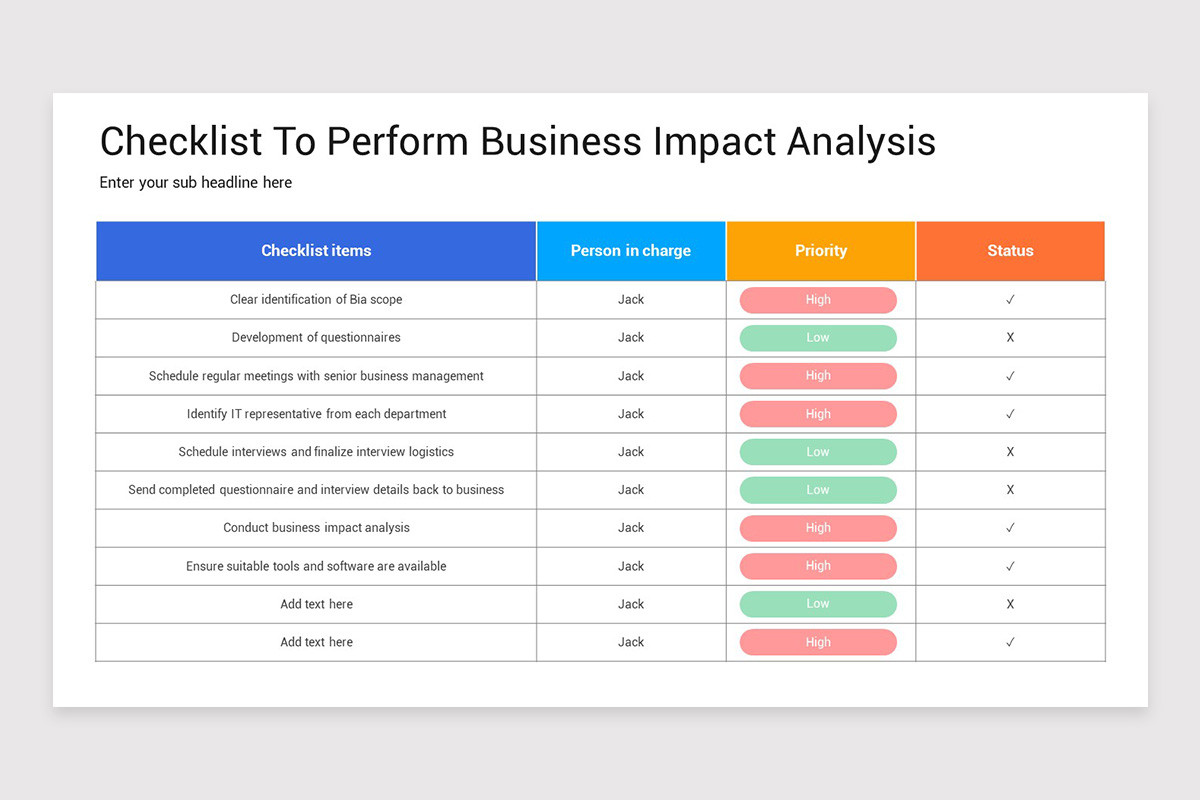
Crafting a comprehensive Business Analysis Impact Assessment Template is more than a compliance checkbox—it’s a strategic investment that fortifies an organization’s resilience. By systematically identifying critical processes, quantifying impacts, and mapping realistic recovery pathways, businesses can anticipate disruptions, allocate resources efficiently, and maintain stakeholder confidence. Embedding this template into your continuous improvement cycle ensures that your organization is not only prepared for the next challenge but also poised to thrive in an uncertain future.